Filtering out AI & NSFW content

· 2 min read
Kanjiverse
Kanjiverse

We're taking back control over content! The latest version of Kanjiverse gives you the power to filter out AI-generated and NSFW sentences, ensuring a more authentic and distraction-free learning experience. Now, you decide what appears in your studies.

What’s New?​

A Simpler Dashboard​

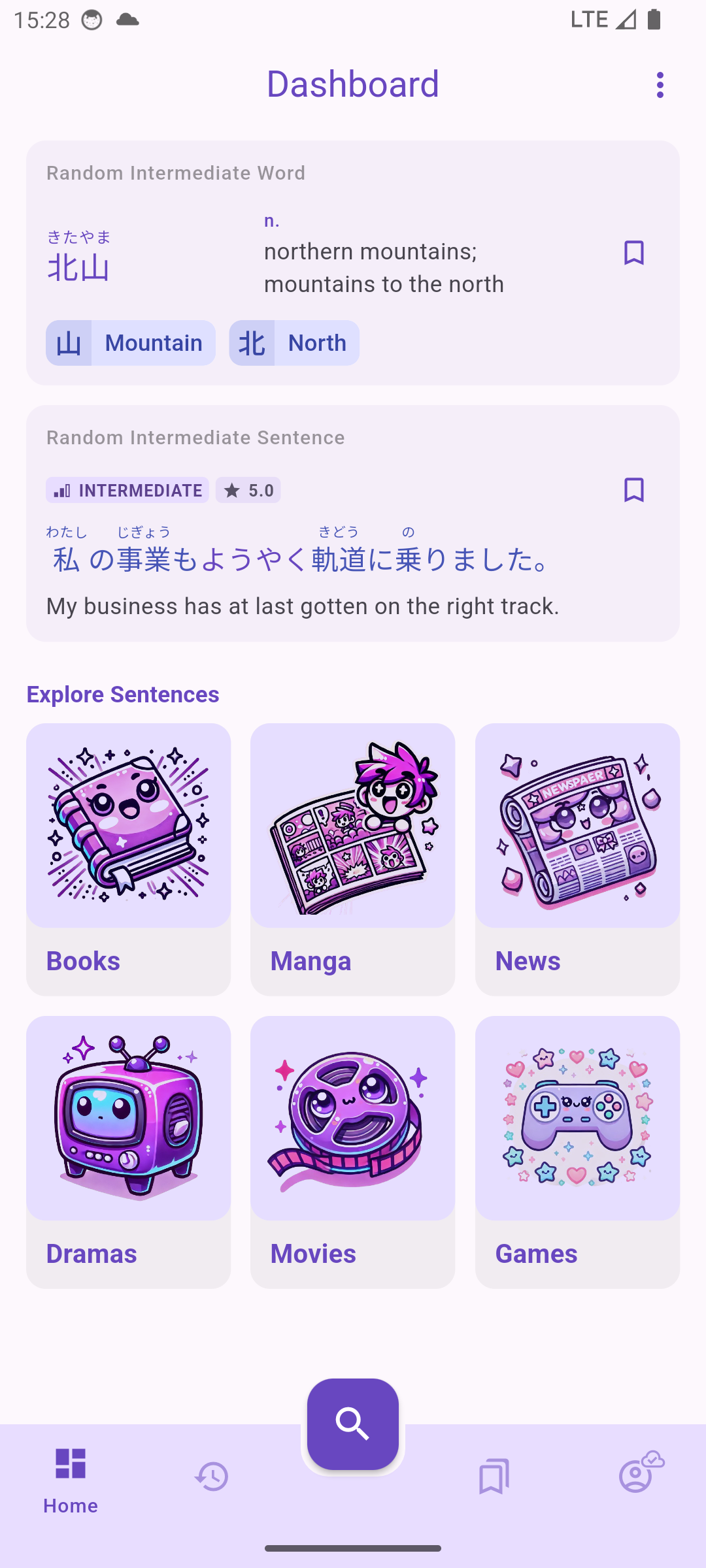
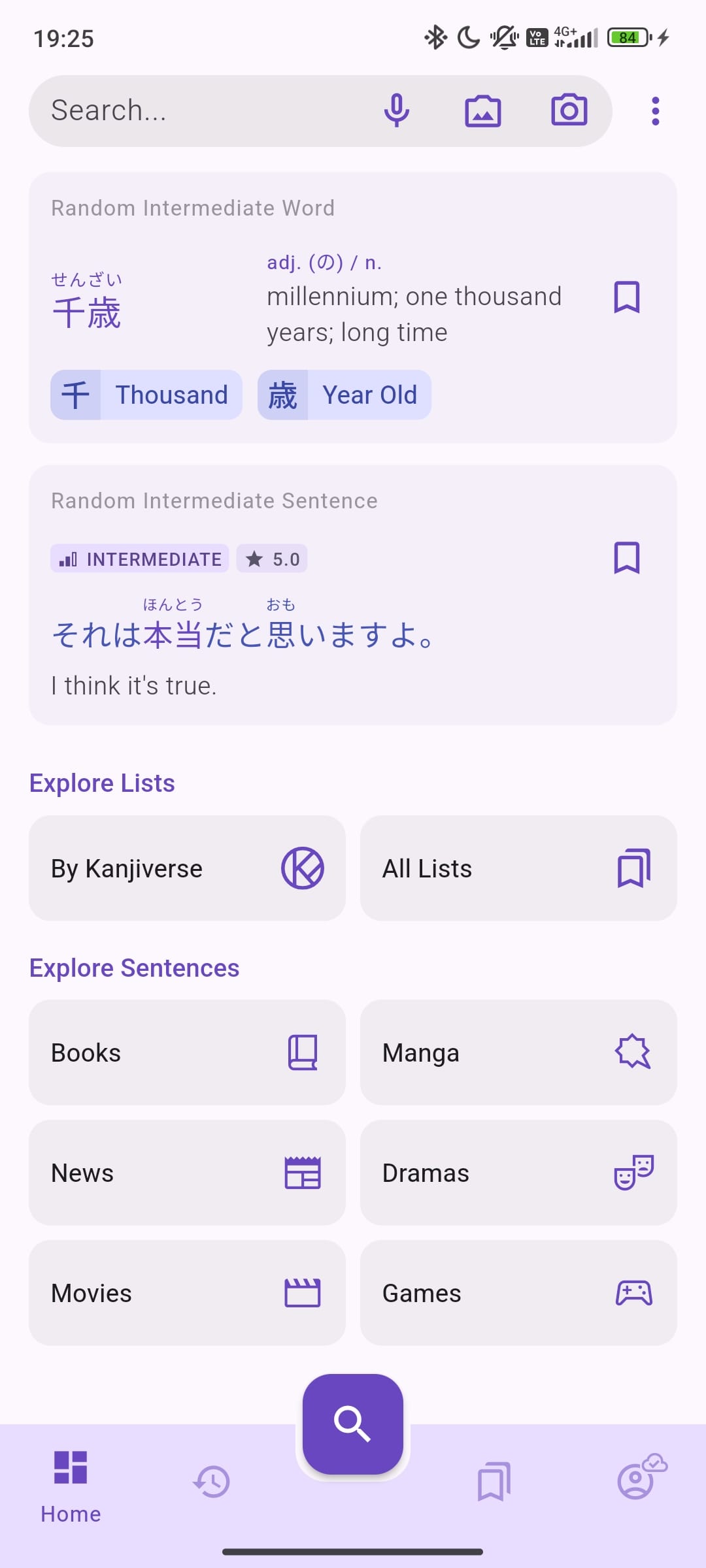
We've redesigned the home page to be more straightforward. Sentence categories now use simple icons instead of large images, making navigation quicker and keeping things uncluttered.

Filters for AI-Generated & NSFW Sentences​

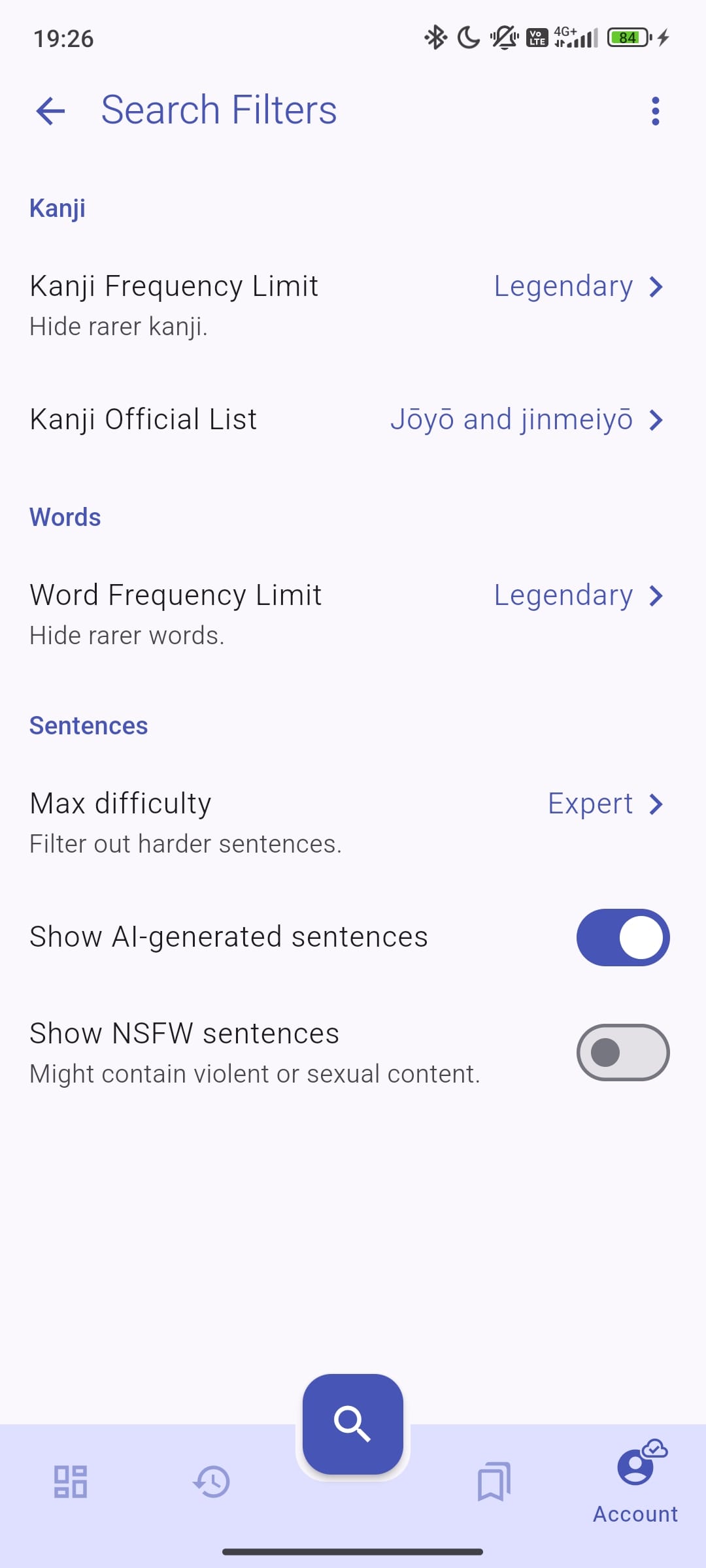
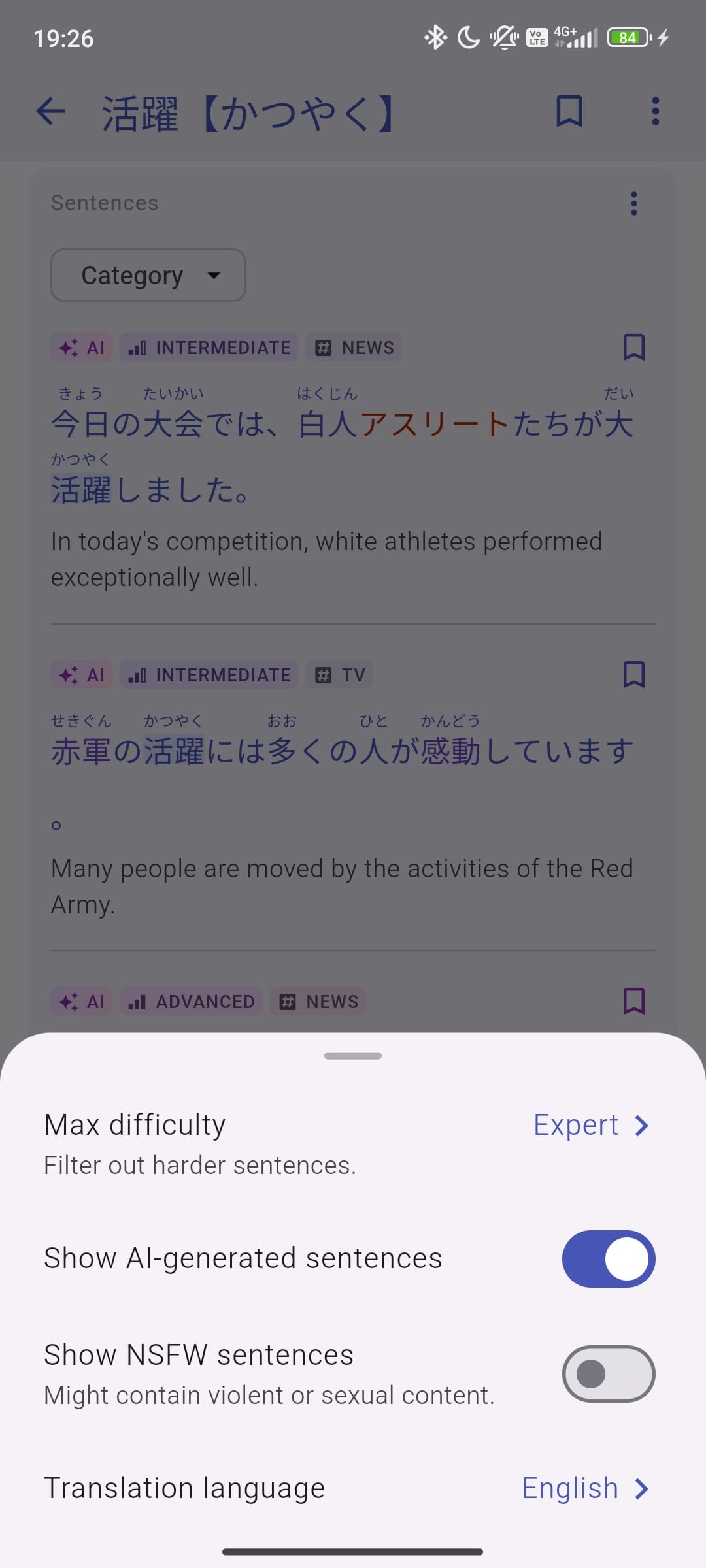
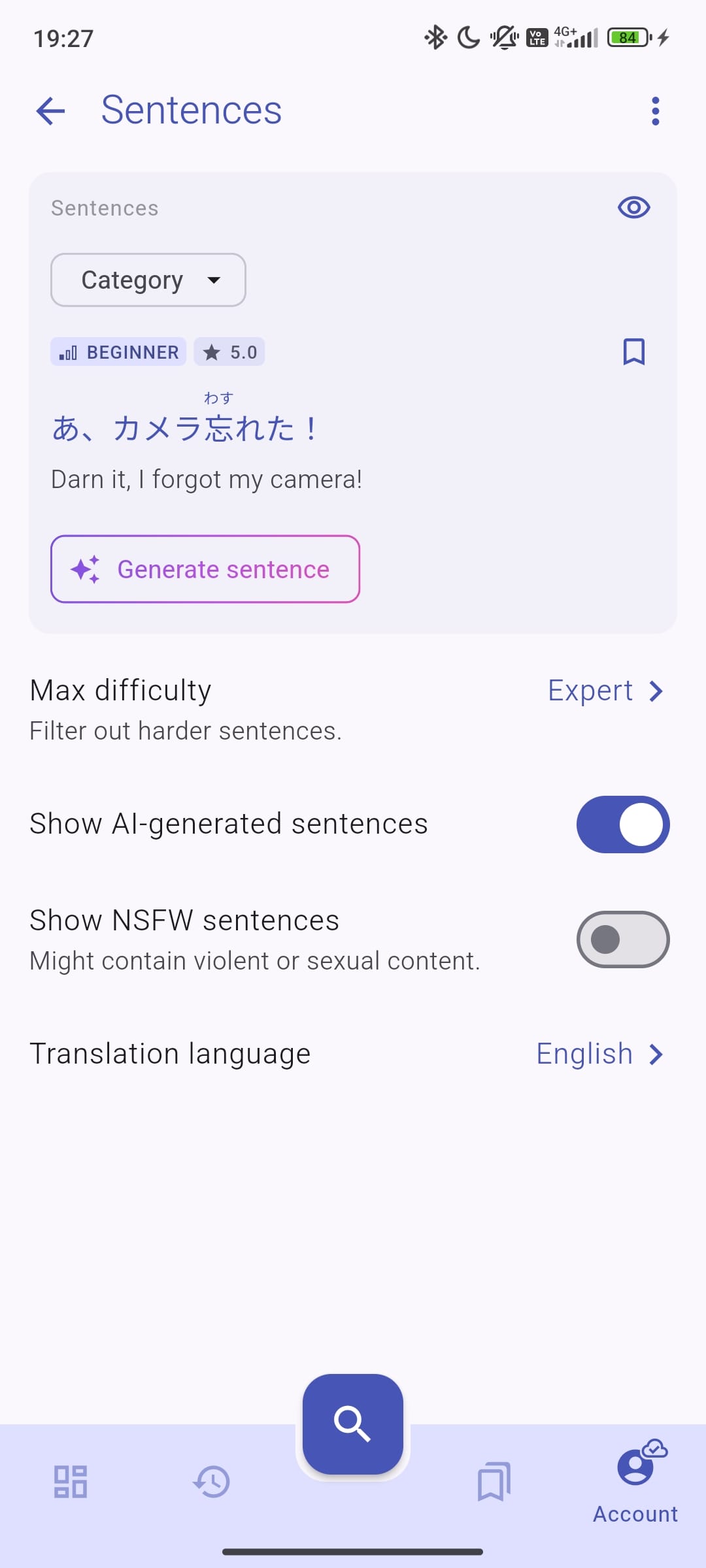
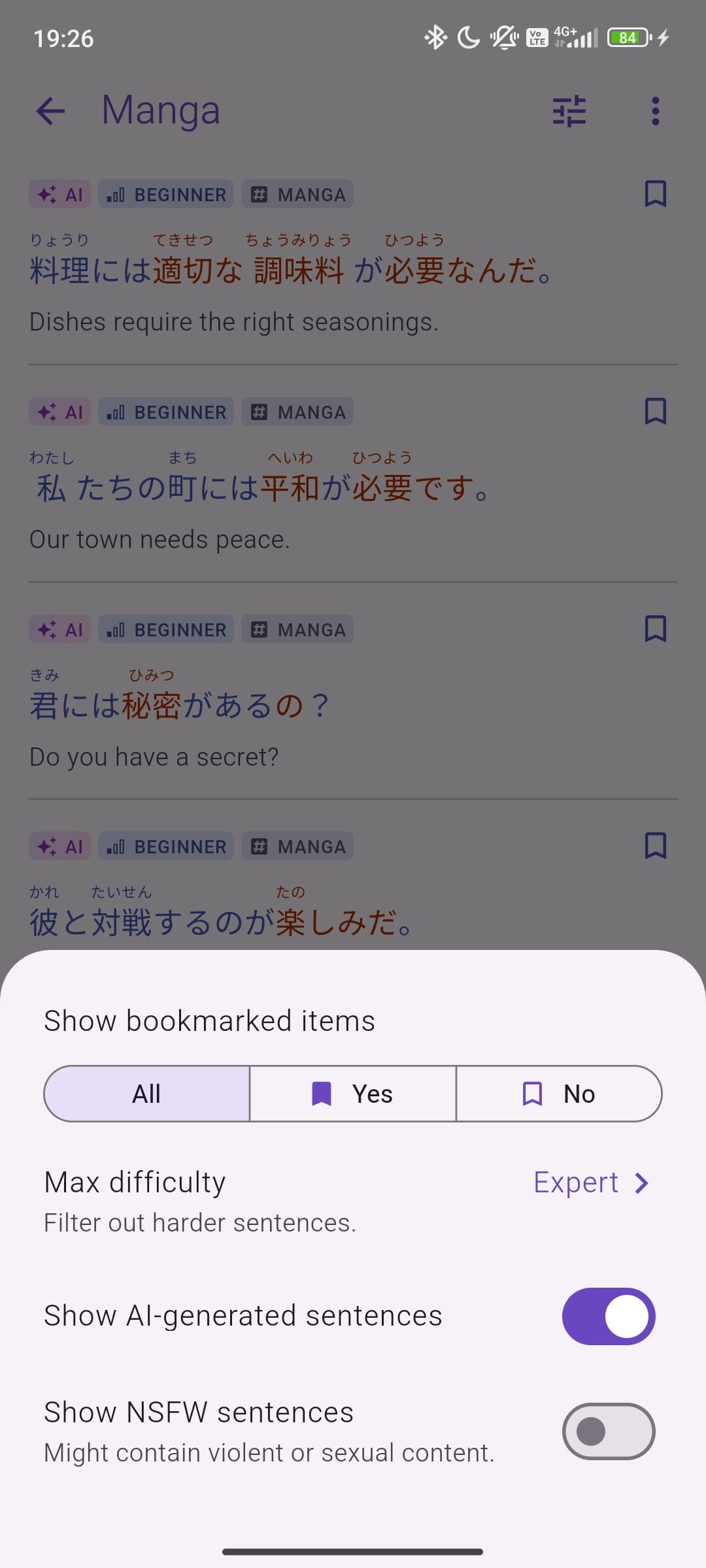
Now you can: ✅ Hide AI-generated sentences if you prefer to learn from human-created content. ✅ Block NSFW content for a more comfortable learning experience (blocked by default).

These filters can be turned on or off in the settings (or directly via the filter button), so you can adjust them however you like.

What’s Next?​

We’re working on adding more human-written sentences sourced from anime, books, and news articles. This will provide more natural and engaging examples to help with your learning. Stay tuned for these updates soon!

Why These Changes?​

We want the app to be as useful and distraction-free as possible. These updates help keep things simple and give you more control over your learning experience.

Update Now & Check It Out!​

Make sure to update your app to try out these new features. Let us know what you think—we’d love to hear your feedback!

Happy studying!

New Search Experience with Audio and Image Input

· 3 min read
Gloria Kristiani
Kanjiverse

At Kanjiverse, we’re constantly striving to improve the way you interact with our Japanese dictionary. That's why we're thrilled to introduce a major update to our search functionality, designed to make your learning journey easier and more efficient. Our new features are here to help you find what you need—exactly when you need it.

Here’s everything you need to know about our newly revamped search feature:

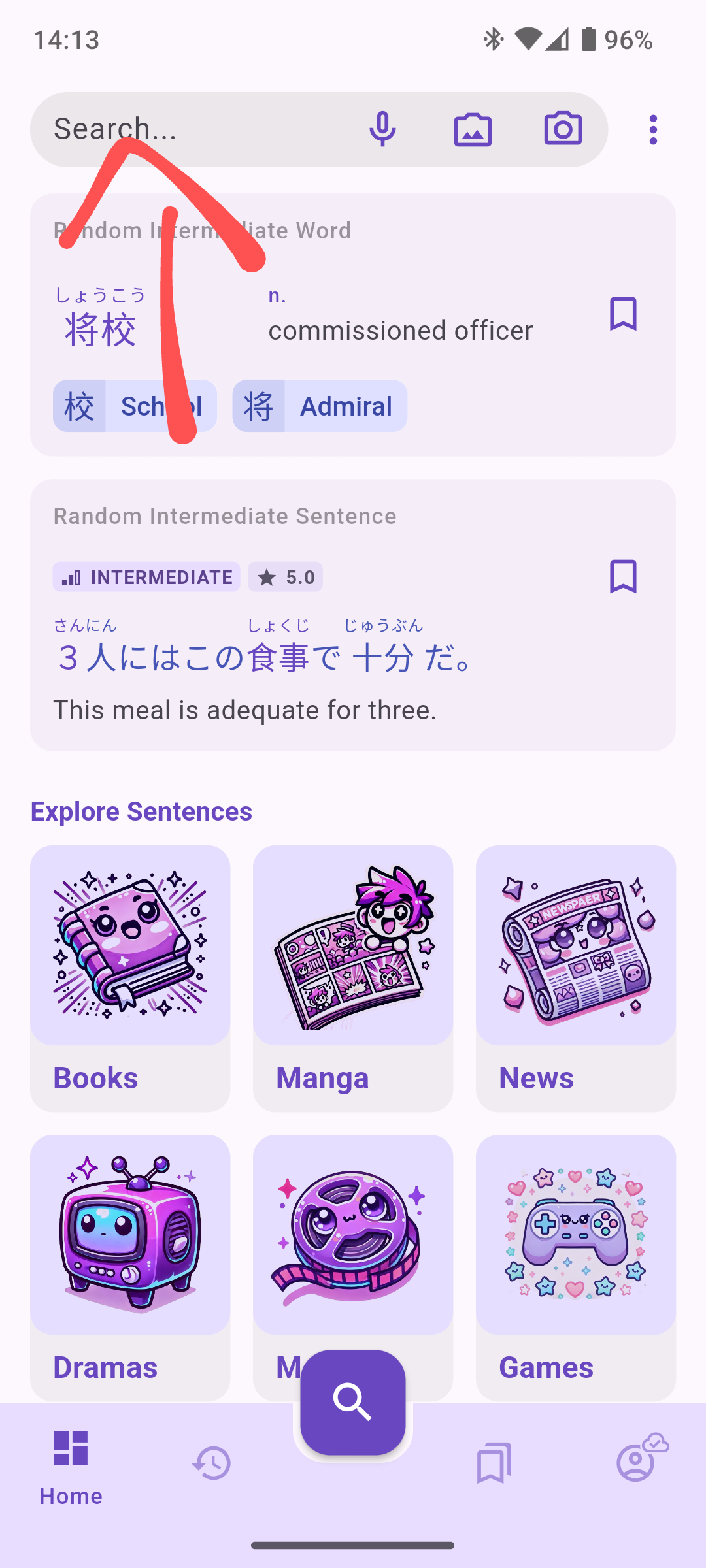
1. Search Bar on the Home Page​

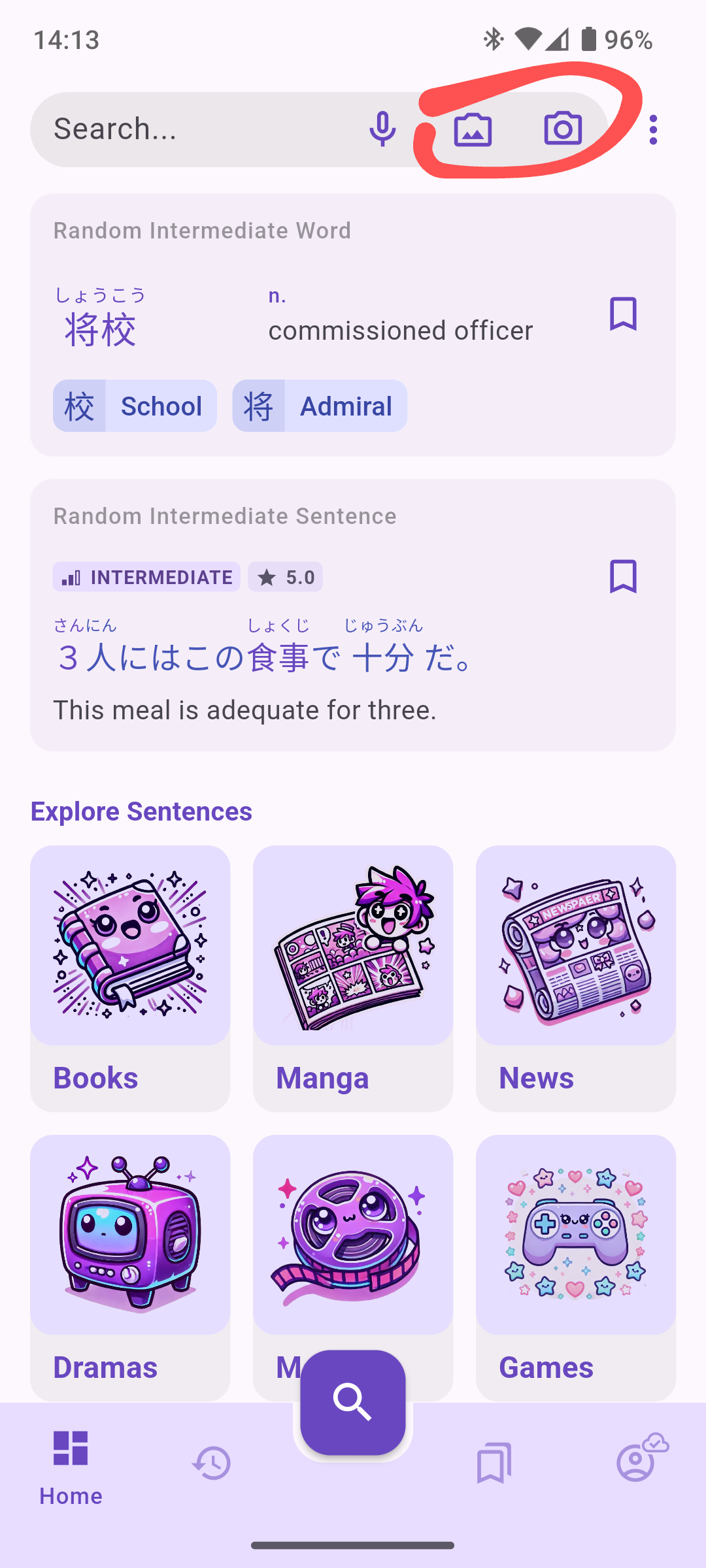
Our new search functionality is now front and center. You’ll find the search bar conveniently located at the top of the home page with direct shortcuts to the new search functionalities. No more digging around—just tap and start your search! This enhanced accessibility makes it easier for users to dive straight into the app and quickly locate the vocabulary they’re looking for or extract sentences.
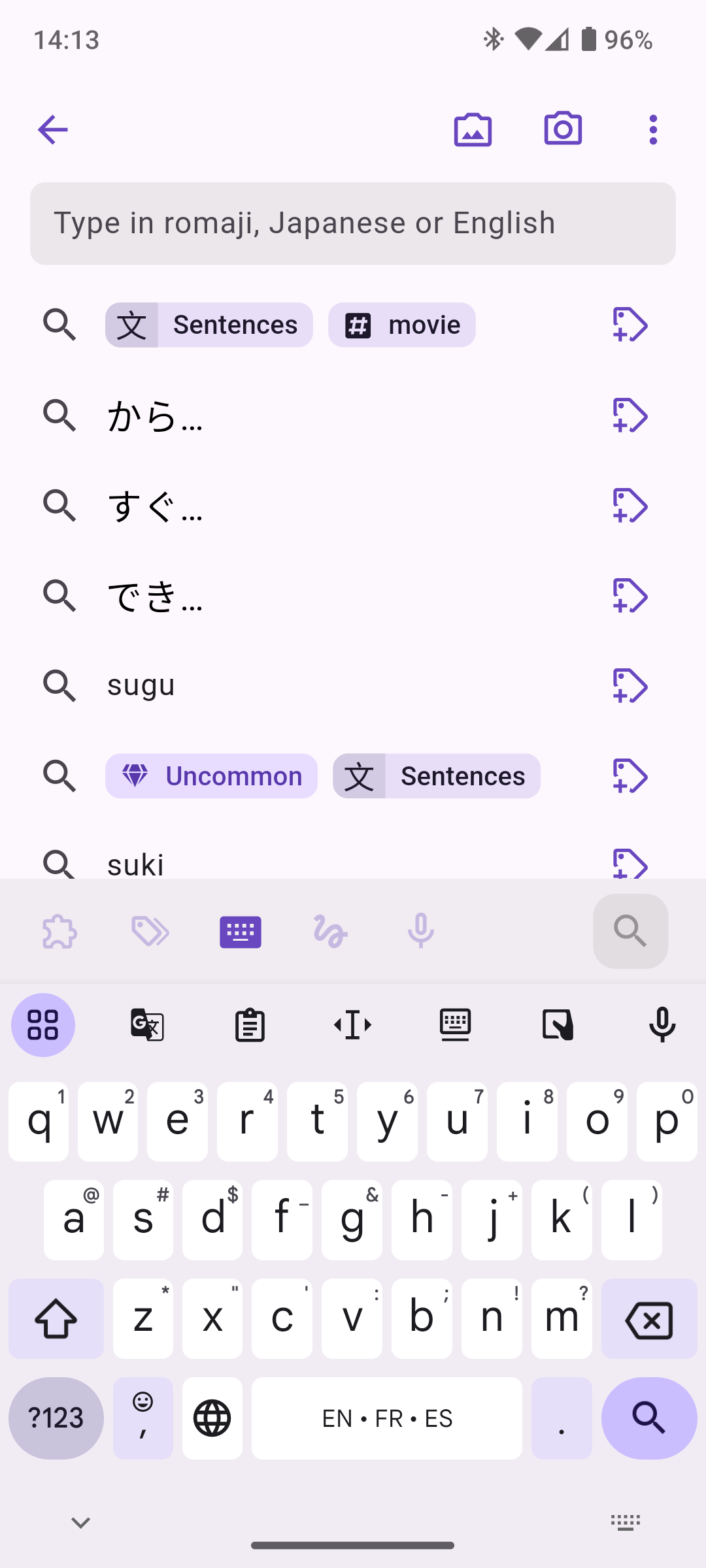
2. New Search Screen Layout​

The new search screen has all input methods accessible at the bottom of the screen, right above the keyboard, a standard app bar with OCR actions, and will also show your recent search queries by default.
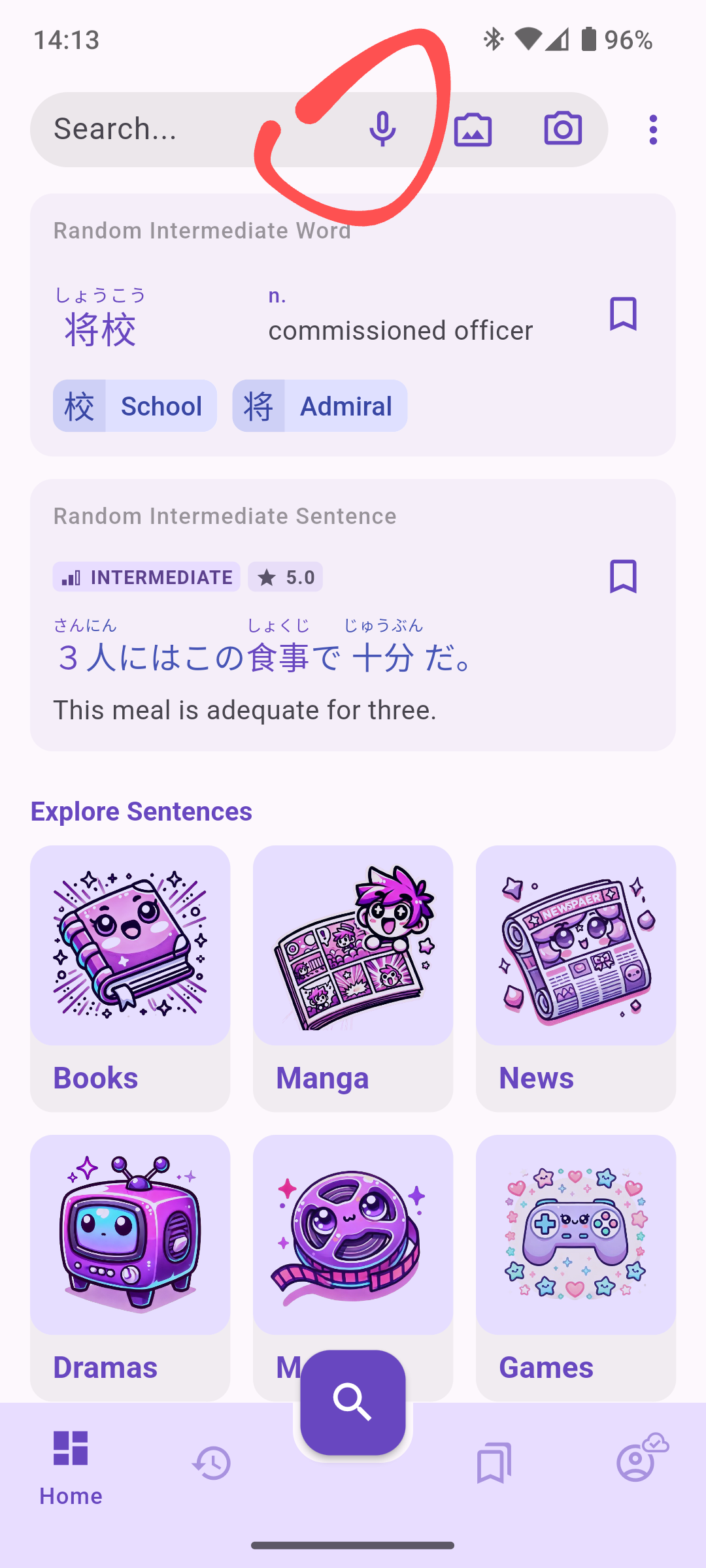
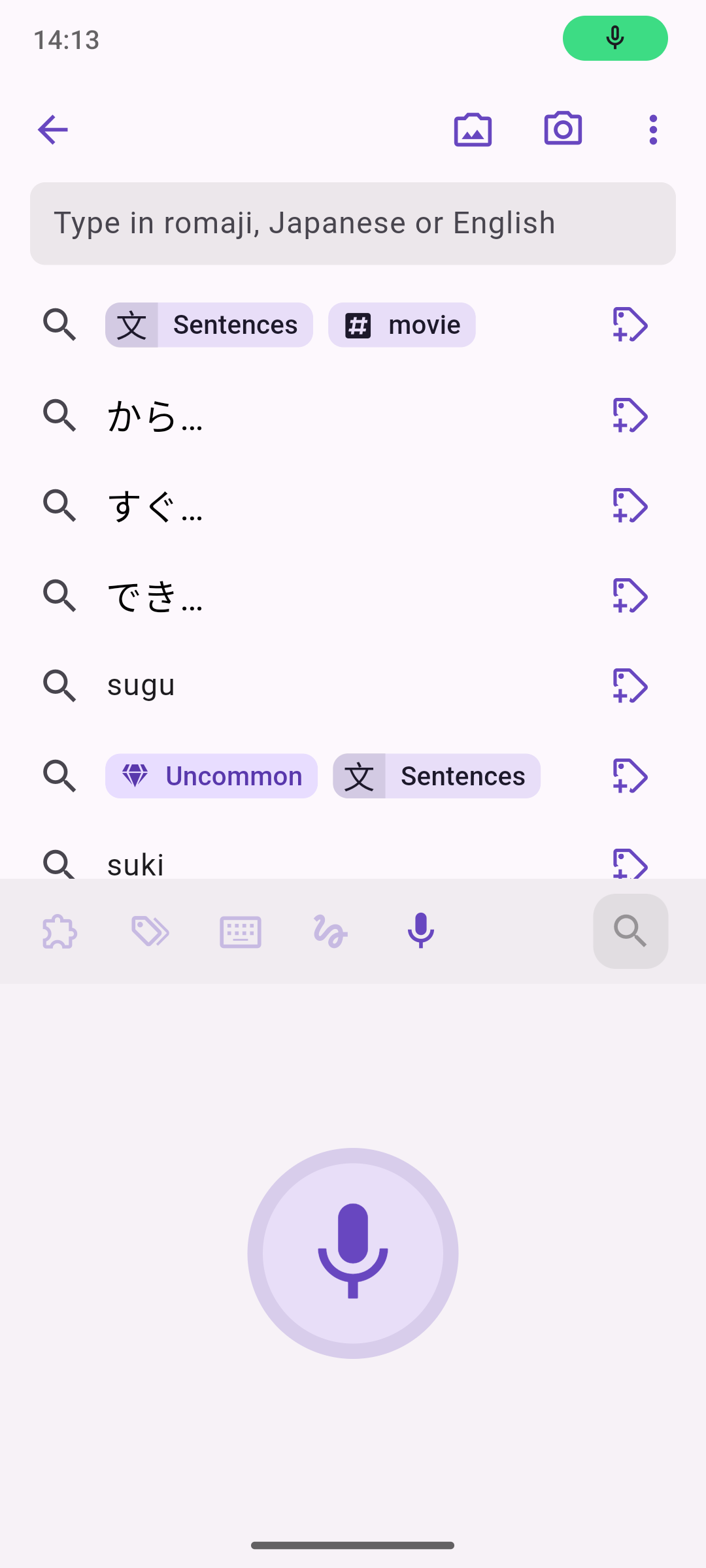
Ever wanted to search without lifting a finger? Now you can. With our new Voice Search feature, you can search for words or sentences by simply speaking into the app. Just tap the microphone icon and start speaking, Kanjiverse will find it instantly.
4. Enhanced OCR (Optical Character Recognition)​

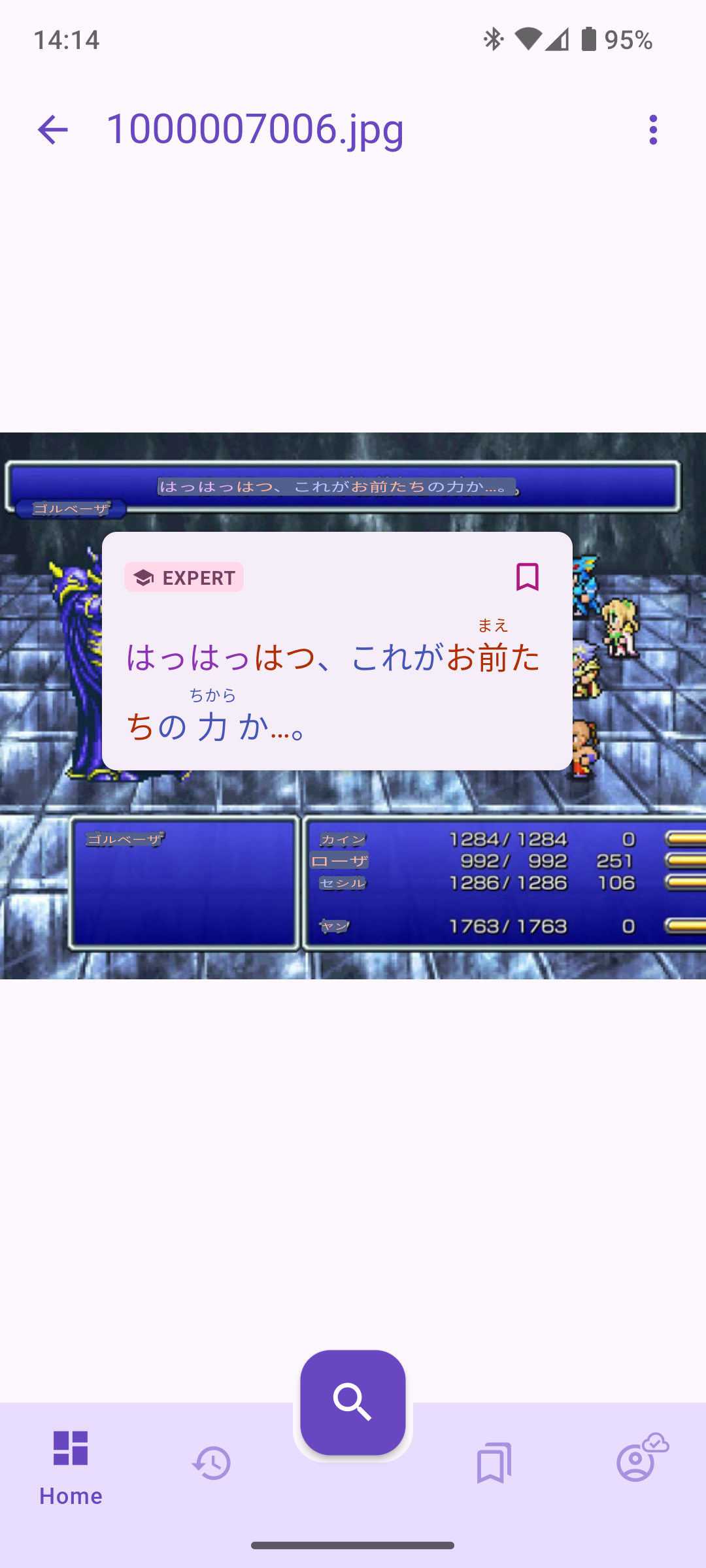
One of the most exciting updates to our search functionality is the introduction of OCR (Optical Character Recognition). You can now take a picture of Japanese in real-world contexts, such as books, menus, or signs, and Kanjiverse will recognize any Japanese text and make it interactive! You can also upload images and screenshots from your phone, and use OCR to break down the sentences found in the image.

Here’s how it works:

  • Take a Photo: See kanji or text in the wild? Snap a photo directly from the app, and our OCR tool will highlight all sentences with our signature color scale.
  • Or Upload an Image: Have a picture saved on your device? Upload it, and let Kanjiverse do the rest.
  • Interact: select the text, or tap and bookmark sentences to directly add them to your sentences bank!

Note: if sentences are not properly colorized, download the Japanese Index first.
5. Future Feature: Live OCR (Coming Soon!)​

But we’re not stopping at static images. We’re already working on bringing live OCR to Kanjiverse, which will allow you to scan text in real-time. This means you’ll be able to point your camera at any Japanese text—whether it’s a sign, book, or poster—and Kanjiverse will instantly recognize and translate it on the screen.

Why This Update is a Game-Changer for Learners​

At Kanjiverse, we’re committed to making Japanese learning more engaging, efficient, and tailored to individual needs. This search update brings together all the tools you need to find relevant content in one place. Whether you prefer typing, speaking, or taking pictures, we’ve made sure the app works for how you want to search.

So what are you waiting for? Jump into Kanjiverse, explore the new search features, and take your Japanese learning to the next level. Let us know what you think—we’re always eager to hear your feedback!
Follow Kanjiverse Journey on Instagram

· 2 min read
Gloria Kristiani
Kanjiverse

Kanjiverse has officially landed on Instagram! 🎉

Our Instagram page is designed to be your go-to resource for inspiration, tips, and the latest updates on everything Kanjiverse.

Why Should You Follow Kanjiverse on Instagram?​

1. Kanji of the Week​

Every week, we’ll spotlight a new kanji to help you deepen your understanding of the language. Our Kanji of the Week posts break down each character, showing you how it’s used in context, its stroke order, and much more. It’s the perfect way to gradually build your kanji knowledge without feeling overwhelmed.

2. Tips and Tricks for Learning Japanese​

We know that mastering Japanese is a journey filled with challenges. That’s why we’re sharing practical tips and tricks to make your learning experience smoother and more enjoyable. From mnemonic devices to study hacks, our posts will help you stay motivated and on track.

3. Stay Updated on App Features​

Kanjiverse is constantly evolving to better serve our users. Our Instagram is the best place to stay informed about new features, app updates, and region rollouts. Whether we’re launching in a new country or introducing a cool new feature like AI-generated sentences, you’ll hear about it first on our Instagram.

4. Get Your Daily Dose of Japanese Memes​

Learning doesn’t have to be all serious! We’ll sprinkle in some fun with Japanese language memes that every learner can relate to. Laughter is a great way to keep your spirits up as you navigate the challenges of learning a new language.

Join the Kanjiverse Community​

Our Instagram isn’t just about us—it’s about you! We invite you to join our community of learners by following @kanjiverse.app. Engage with our posts, share your progress, and connect with other Japanese learners from around the world.

Ready to take your Japanese to the next level? Hit that follow button, and let’s embark on this journey together! 🌟

Kanjiverse is Going Global: Worldwide Release Announcement

· 2 min read
Gloria Kristiani
Kanjiverse

We are thrilled to announce that Kanjiverse, your go-to Japanese Learner's Dictionary, is now available worldwide! After months of hard work, refining our features, and listening to feedback from our amazing beta testers, we’re ready to take Kanjiverse to learners across the globe.

What’s New?​

With our worldwide release, we’re bringing the full power of Kanjiverse to every corner of the planet. Whether you’re in Asia, Europe, the Americas, or anywhere in between, you can now access our comprehensive Japanese dictionary, packed with unique features like kanji decomposition, AI-generated sentences, customizable learning tools, and more.

Why Kanjiverse?​

Kanjiverse isn’t just another dictionary—it’s a complete ecosystem designed to help you master the Japanese language, especially when it comes to reading. With our powerful search tools, color-coded kanji, and engaging learning aids, you can dive deep into the nuances of Japanese and discover the joy of learning at your own pace.

What's Next?​

We’re just getting started! As we expand our reach, we’re also expanding our features. Look forward to more updates, including new languages, advanced AI capabilities, and community-driven content. Plus, keep an eye out for our "Kanji of the Week" series on Instagram, where we’ll highlight different kanji each week, along with tips, tricks, and tutorials to help you on your learning journey.

Thank you to everyone who has supported us so far. We couldn’t have done it without you. Now, let’s embark on this exciting global journey together!

Welcome to Kanjiverse—where the world of Japanese learning is at your fingertips. 🌏 #Kanji #JapaneseLearning #LearnJapanese #Japanese Dictionary

Share Screenshot, Feedback, and Markdown Support

· 4 min read
Gloria Kristiani
Kanjiverse

Version 1.2 features new updates that give you more control over how you interact with and share content within our app, making your learning journey even more dynamic and personalized.

What's New?​

Screenshot and Share Your Card​

Imagine being able to share a perfectly crafted kanji breakdown or sentence example directly with your friends, study group, or on social media. With our new Screenshot and Share feature, you can do just that!

How It Works:​
  • Select the Card: Choose any cards in the kanji, word, or sentence dictionary you wish to share.
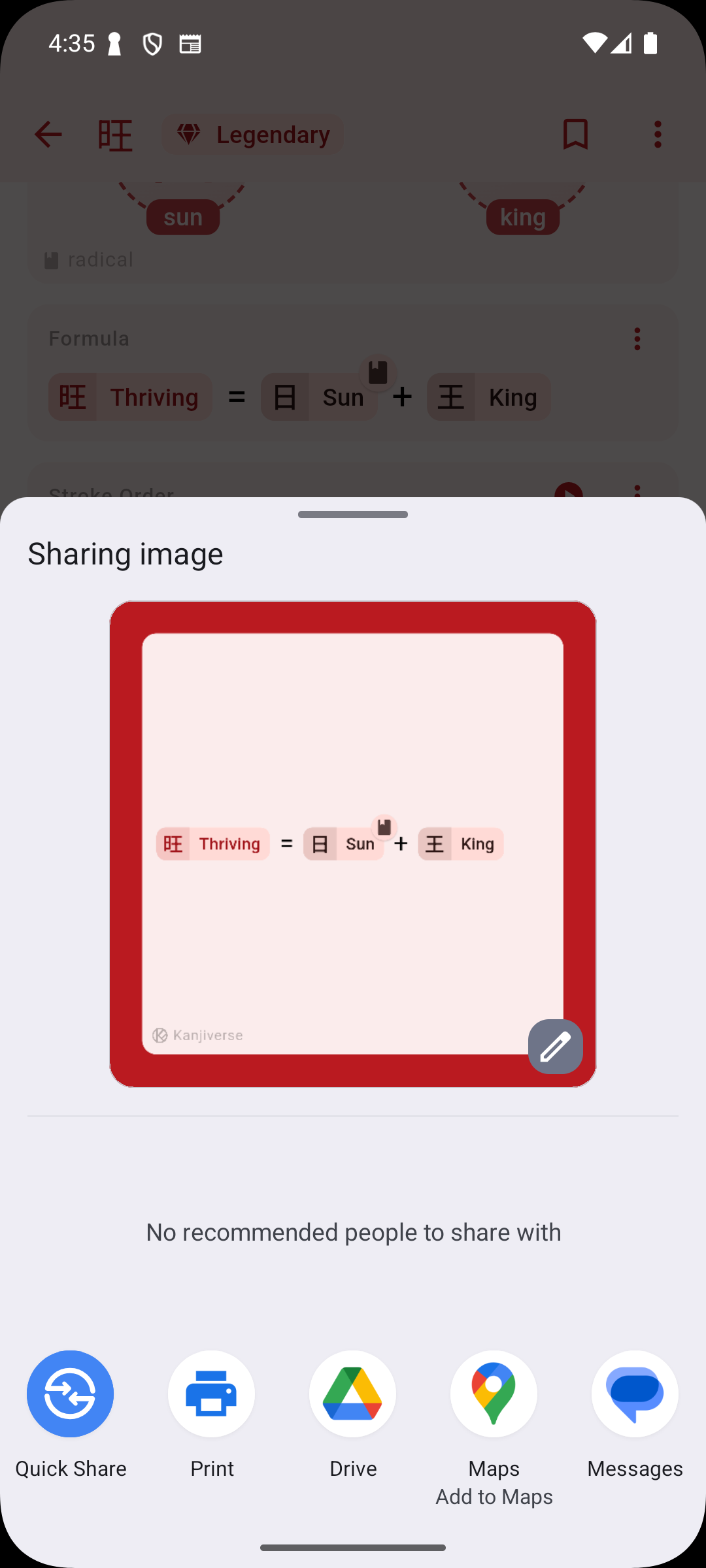
  • Click Share: Use the share button on the card menu.
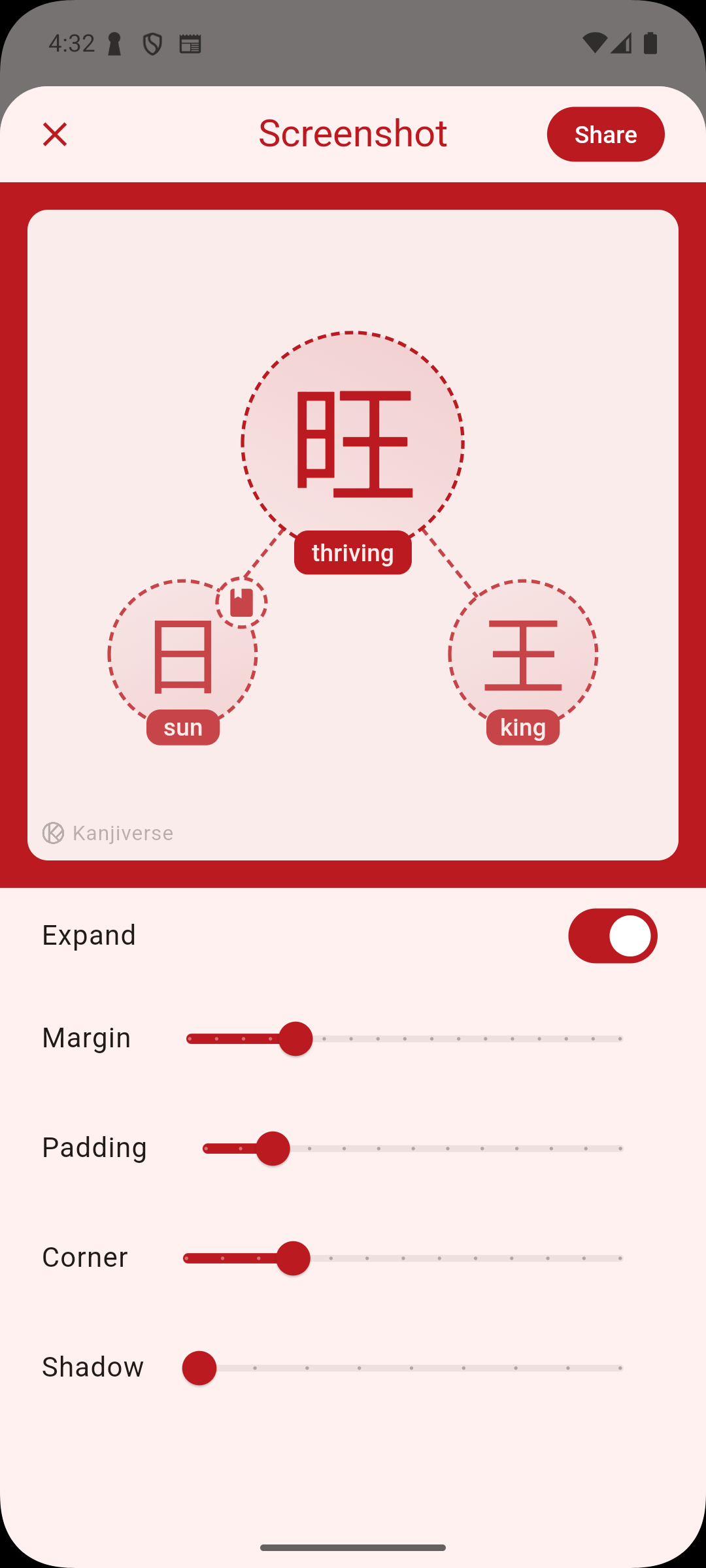
  • Edit Your Screenshot: Before sharing, you can customize the appearance of your screenshot. Adjust the margin, padding, corner style, and even add shadows to make your card stand out.
  • Share or Save: Once you’re satisfied with the look, share your card directly to any social media platform of your choice or save it to your device. This feature is designed to make sharing your progress and favorite content from Kanjiverse with your friends, study group, or social media followers easier than ever. Now, showing off your learning achievements or spreading the love for Japanese language learning is just a screenshot away!
Markdown Support in List Descriptions​

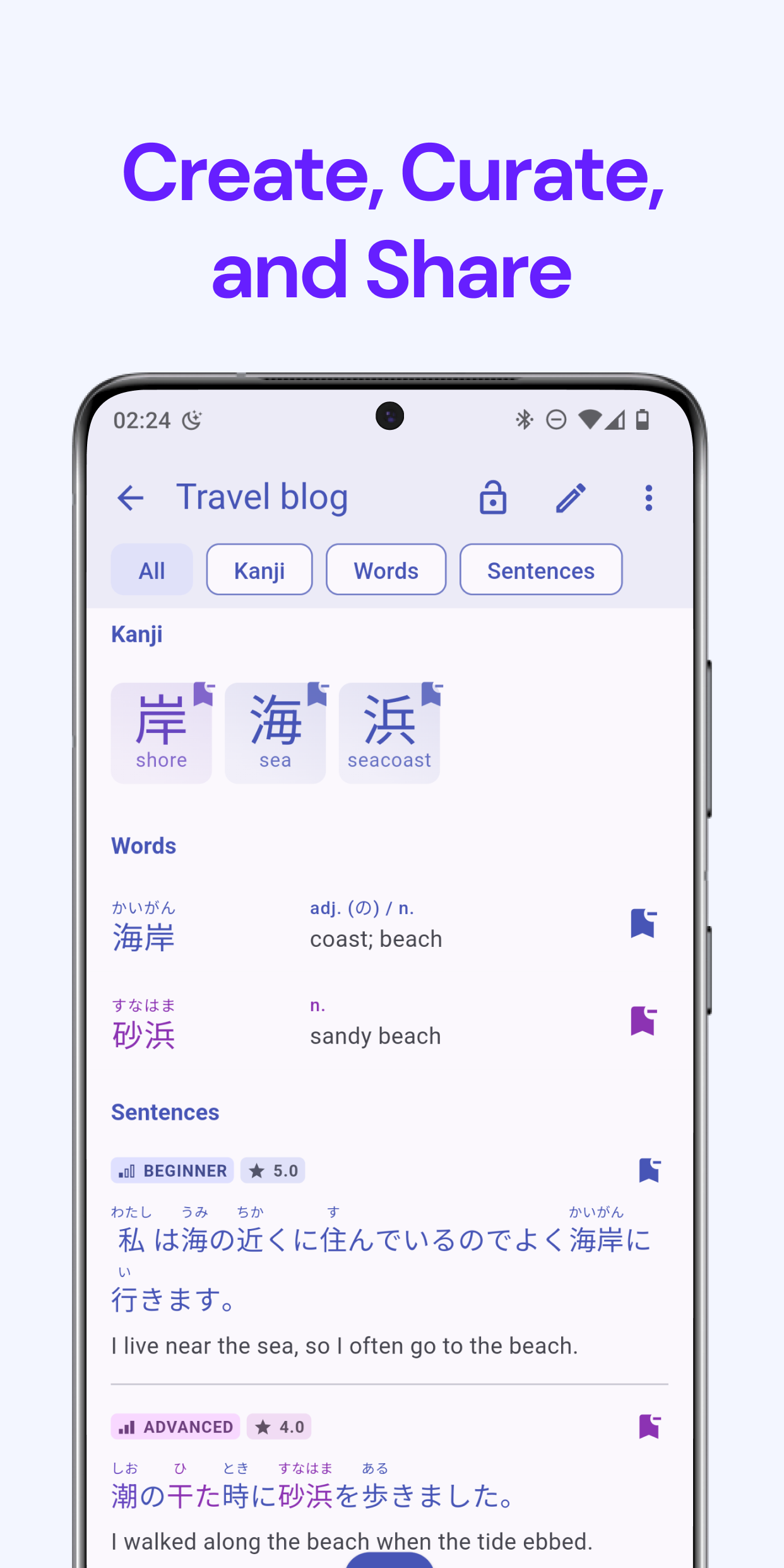
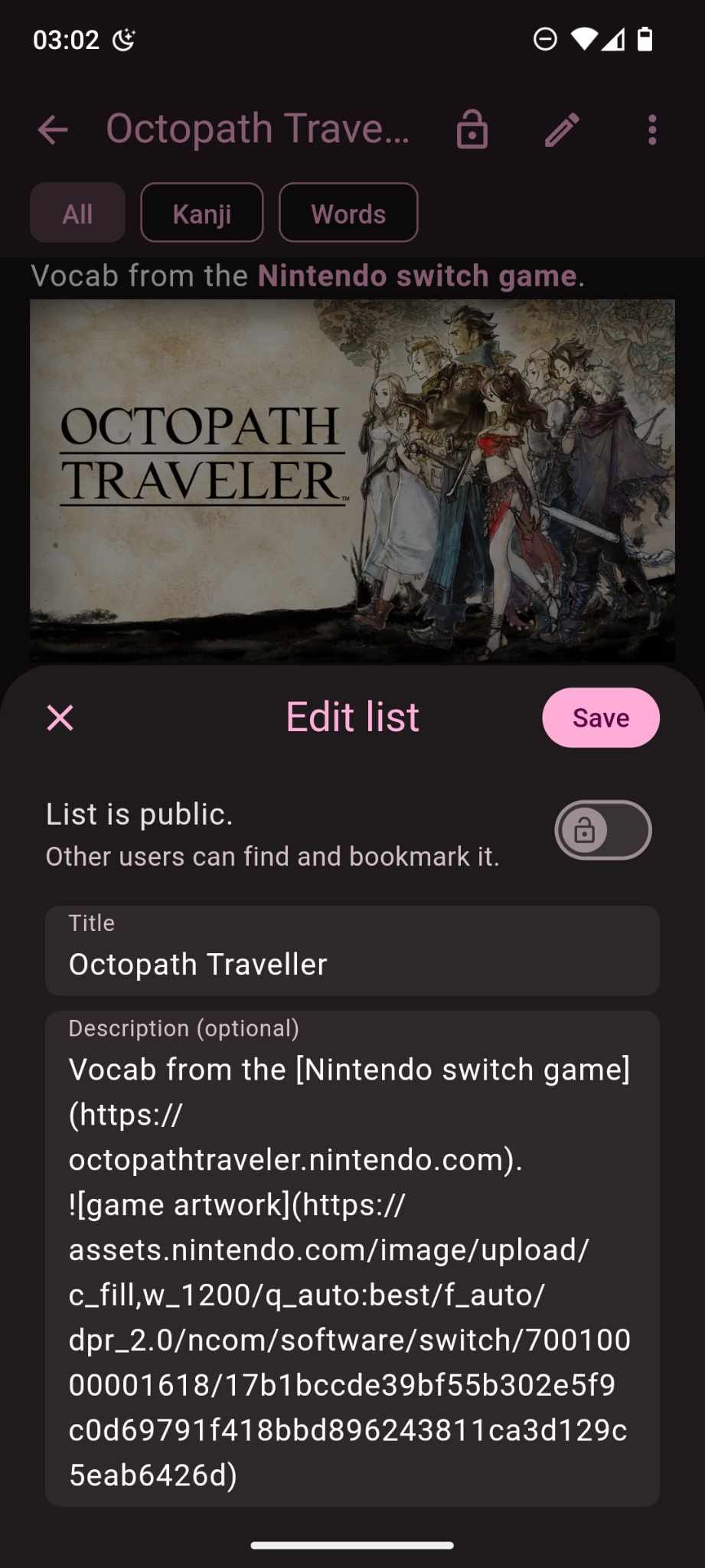
We know that sharing lists is a crucial part of how our users engage with Kanjiverse. To make your lists even more useful and visually rich, we’ve added Markdown support in list descriptions.

When you edit a list in Kanjiverse, the description field now supports Markdown formatting. This means you can:

  • Add links to external resources, websites, or any other relevant content.
  • Embed images to make your lists visually appealing and informative.
  • Format text with headers, bold, italics, and more for better organization and emphasis.
How It Works​

Simply enter your Markdown syntax in the description field while editing your list, and Kanjiverse will render it beautifully for you. Whether you’re creating a list of vocabulary from a game, sharing study tips, or curating learning resources, Markdown gives you the tools to make your content stand out.

Why It's Awesome​

Markdown support opens up a world of possibilities for how you share and present your lists. You can now create more engaging and informative lists that are not just text-based but rich in multimedia and external resources. It’s perfect for learners who want to share more than just words and make their lists truly interactive and useful for others.

Enhanced Feedback Feature​

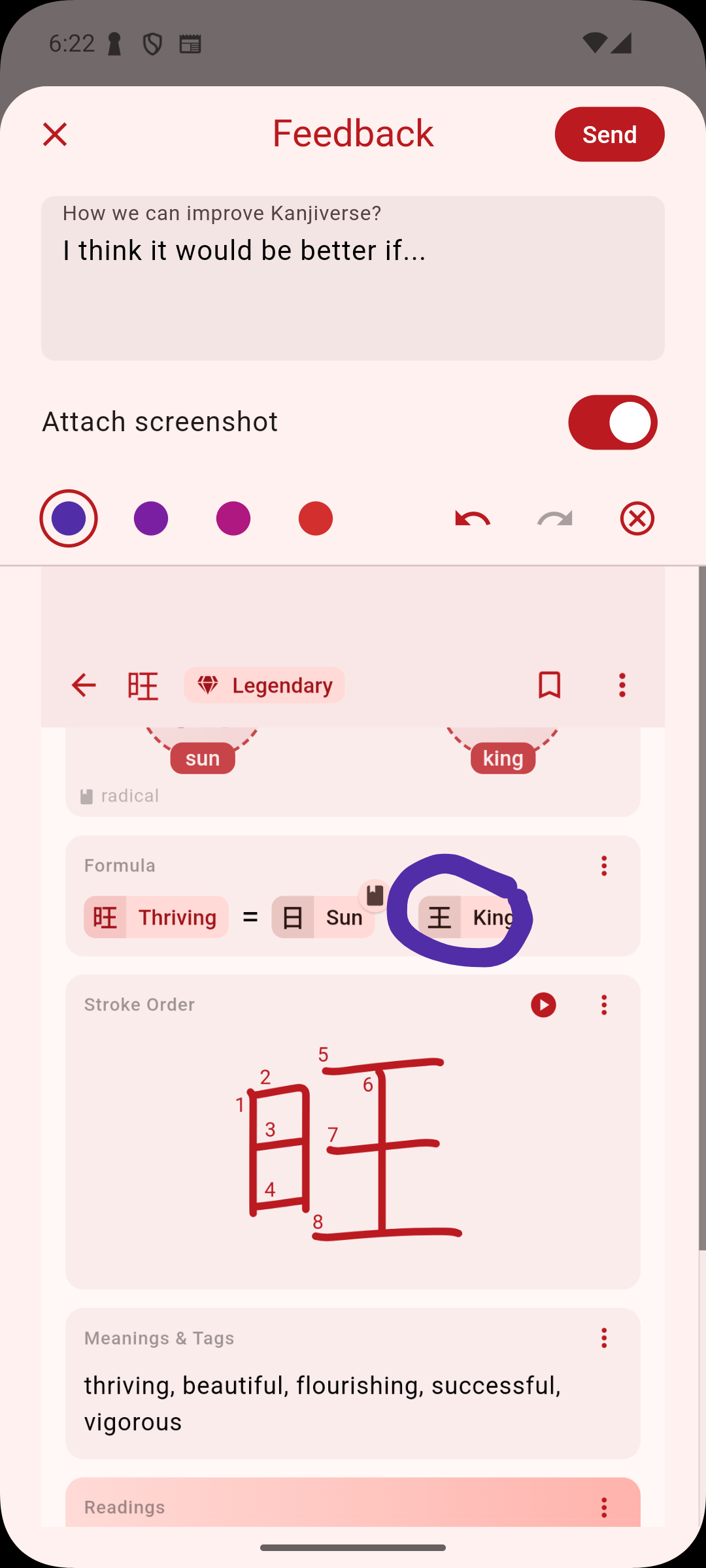
We’re also excited to introduce an enhanced feedback feature on iOS! If you have suggestions, ideas, or even a quick comment on how we can improve Kanjiverse, you can now send feedback directly from the app. You can even attach a screenshot of the exact kanji card or feature you’re referring to, making it easier than ever to communicate with our team. We value your input, and this new feature ensures that your voice is heard.

Why These Features Matter​

At Kanjiverse, we’re committed to providing tools that help you learn more effectively and share that knowledge effortlessly. The Screenshot and Share feature ensures that your learning moments can be easily shared and discussed, while Markdown support in list descriptions allows you to create richer, more engaging content. Together, these features make Kanjiverse not just a learning app but a vibrant community space where knowledge is shared, discussed, and celebrated.

Try out these new features today and see how they can enhance your study sessions and interactions within the Kanjiverse community. We’re excited to see the creative ways you’ll use these tools to share your love of Japanese learning!

Kanjiverse Now Available in the US and Canada!

· 2 min read
Gloria Kristiani
Kanjiverse

We’re thrilled to announce the latest release of Kanjiverse, we’ve made significant improvements to our infrastructure and are now officially launching Kanjiverse in the United States and Canada!

What’s New?​
  • North American Server: To ensure that our growing community of learners in the US and Canada has the best possible experience, we’ve added a new server in North America. This means faster load times, smoother interactions, and an overall enhanced experience for our North American users.
  • 73% Faster Performance: With the addition of our North American server, users in the US and Canada will experience a staggering 73% improvement in app speed. Whether you’re browsing the dictionary, generating AI-powered sentences, or curating your own lists, everything will feel more responsive and fluid.
  • Available Now: Kanjiverse is now available for download on the App Store and Google Play in the US and Canada.
Why This Matters?​

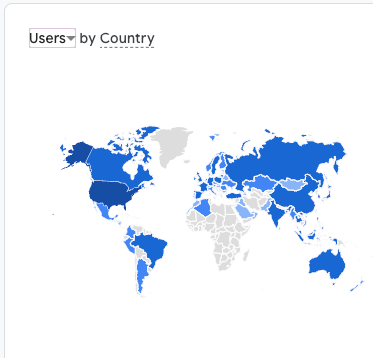
At Kanjiverse, we believe that every learner deserves a seamless and efficient experience, no matter where they are. With our largest user base located in the United States, it was crucial for us to optimize the app's performance to better serve this growing community. By adding a new server in North America, we’ve significantly improved load times, ensuring that our US users—and those in Canada—can spend more time learning and less time waiting. Join thousands of learners around the world who are mastering Japanese with the most comprehensive learning tool available.
Download Kanjiverse today and experience the difference!

Which Kanji Learning App is Right For You?

· 5 min read
Gloria Kristiani
Kanjiverse

The landscape of kanji learning apps is diverse, with each offering unique features tailored to different learning styles and levels. Let's compare six prominent Japanese learning apps—Takoboto, Jisho, Jitaku, Skritter, Ringotan, and Kanjiverse, a newer entrant in the market. The comparison is based on several factors: learning methodology, features, user experience, and customization.

1. Takoboto​

  • Type: Japanese-English Dictionary
  • Learning Methodology: Focuses on vocabulary and kanji recognition, offering robust search features and example sentences.
  • Features:
  • Comprehensive offline dictionary with over 200,000 entries.
  • Kanji lookup by radicals, drawing, or searching by readings.
  • Example sentences for vocabulary context.
  • Flashcard creation for vocabulary review.
  • User Experience: User-friendly interface with quick access to dictionary features. The offline capability is a strong advantage for users who need a reliable resource without internet access.
  • Customization: Creating flashcards and customizing vocabulary lists for personal study.
  • Target Audience: Learners needing a reliable dictionary with example sentences and kanji lookup capabilities.
  • Cost: FREE

2. Jisho​

  • Type: Online Japanese-English Dictionary
  • Learning Methodology: Primarily a dictionary and reference tool, ideal for quick lookups and sentence parsing.
  • Features:
  • Kanji lookup by radicals, drawing, or components.
  • Sentence parsing tool that breaks down Japanese sentences.
  • Detailed kanji information, including stroke order and readings.
  • Community-driven content.
  • User Experience: Clean, web-based interface with community-generated content. It’s widely accessible and effective for quick learning and reference.
  • Customization: Offers basic customization with search filters and sentence parsing, but lacks deeper personalized learning features.
  • Target Audience: Learners who prefer a web-based tool with strong kanji lookup and sentence parsing capabilities.
  • Cost: FREE

3. Jitaku​

  • Type: Kanji Writing Practice
  • Learning Methodology: Focuses on handwriting practice.
  • Features:
  • Customizable flashcards and quizzes.
  • Handwriting practice with real-time feedback.
  • Integration with popular textbooks.
  • User Experience: Flexible and user-centered, catering to individual learning needs with a more interactive and personalized approach.
  • Customization: High degree of customization, allowing users to tailor their learning experience by selecting specific kanji and vocabulary to study.
  • Target Audience: Self-directed learners, focuses on handwriting, who prefer a customizable study experience, particularly those using specific textbooks.
  • Cost: $4.25/month

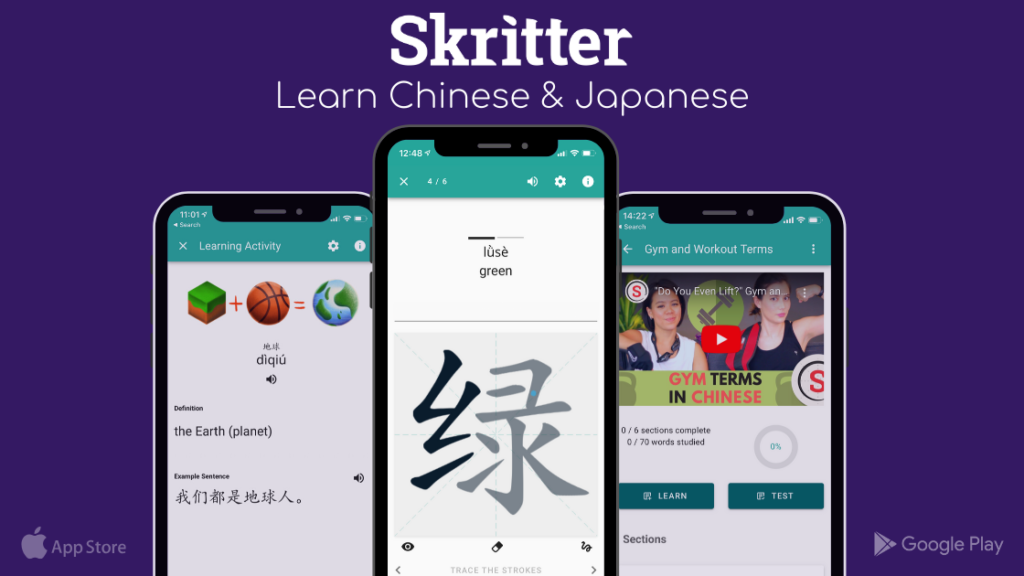
4. Skritter​

  • Type: Kanji Writing Practice
  • Learning Methodology: Skritter focuses on teaching users how to write kanji correctly. It provides stroke-by-stroke guidance and real-time feedback, with integrated SRS system.
  • Features:
  • Real-Time Writing Feedback: Skritter’s standout feature is its writing practice, where users can write kanji with their finger or a stylus on touchscreens.
  • Textbook Integration: The app offers kanji lists from popular textbooks, making it a good supplementary tool for formal study.
  • User Experience: The focus on writing makes it particularly engaging for learners who want to develop their writing skills alongside recognition and recall.
  • Customization: While you can select which kanji to study, the app’s main focus is on writing practice, which may limit its use for other aspects of kanji learning.
  • Target Audience: Learners focused on mastering kanji writing through consistent practice.
  • Cost: $14.99/month

5 . Ringotan​

  • Type: Kanji Writing and Recognition
  • Learning Methodology: Teaches kanji from the ground up, focusing on both recognition and writing.
  • Features:
  • Kanji writing practice using advanced input-detection.
  • Supports hiragana, katakana, and over 3,500 kanji.
  • Flexible study schedules with SRS for efficient learning.
  • Currently free for early adopters.
  • User Experience: Easy to use with a straightforward approach to kanji learning.
  • Customization: Allows users to control their learning pace and focus areas, making it adaptable to individual needs.
  • Target Audience: Beginners and intermediate learners aiming to master kanji writing, with a focus on flexibility.
  • Cost: FREE

6. Kanjiverse​

  • Type: Comprehensive Kanji and Vocabulary Dictionary
  • Learning Methodology: Focusing on real-world examples and the structural breakdown of kanji.
  • Features:
  • Learner's Dictionary: 13,000+ kanji, 180,000+ words, and unlimited sentence mining
  • Sentence Analyzer: A unique feature that breaks down sentences into their kanji and vocabulary components, color-codes them by frequency, and rates sentence difficulty.
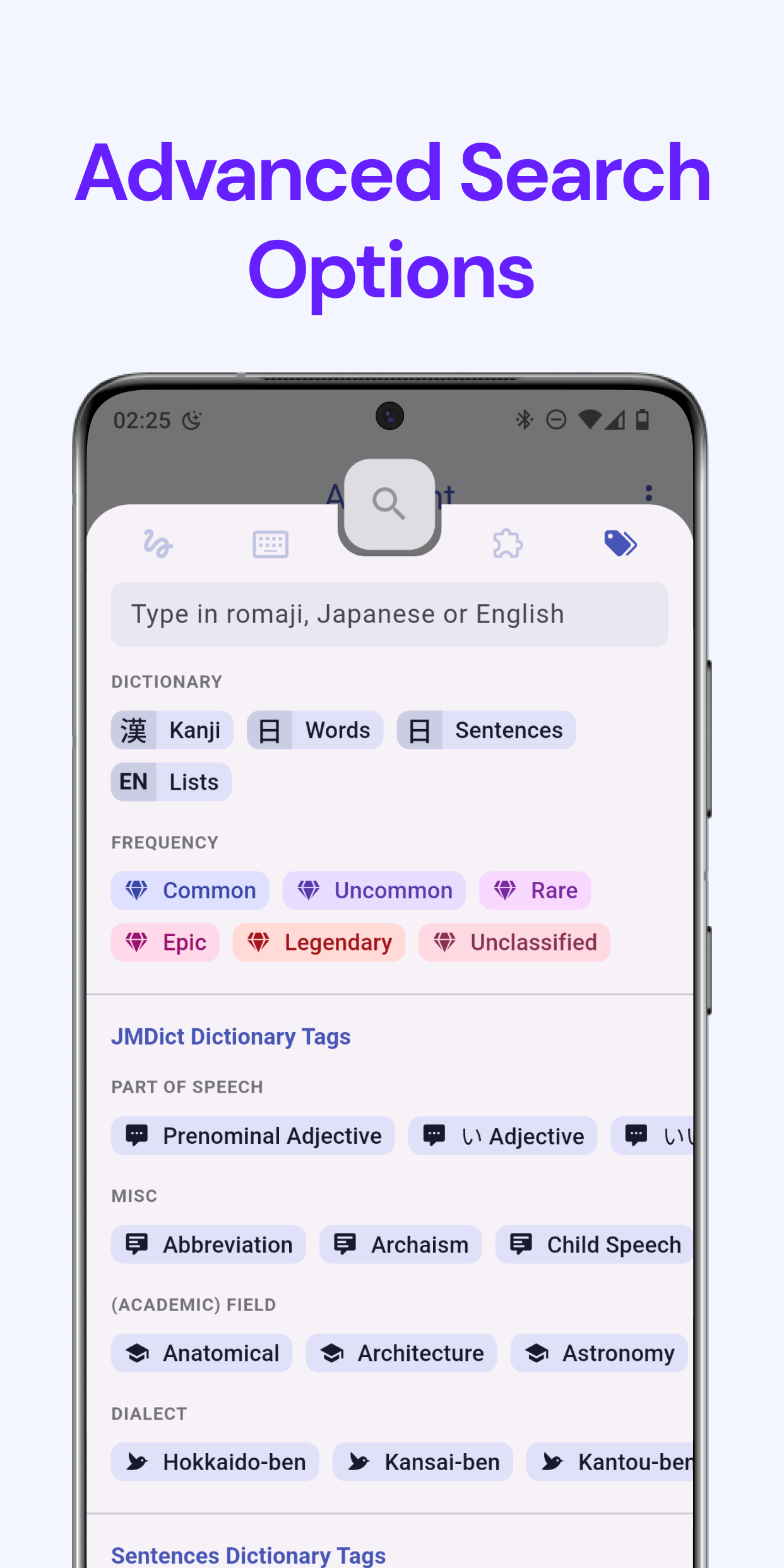
  • Smart Search: The search function supports kana, radicals, and tags, making it easier to find specific kanji or vocabulary.
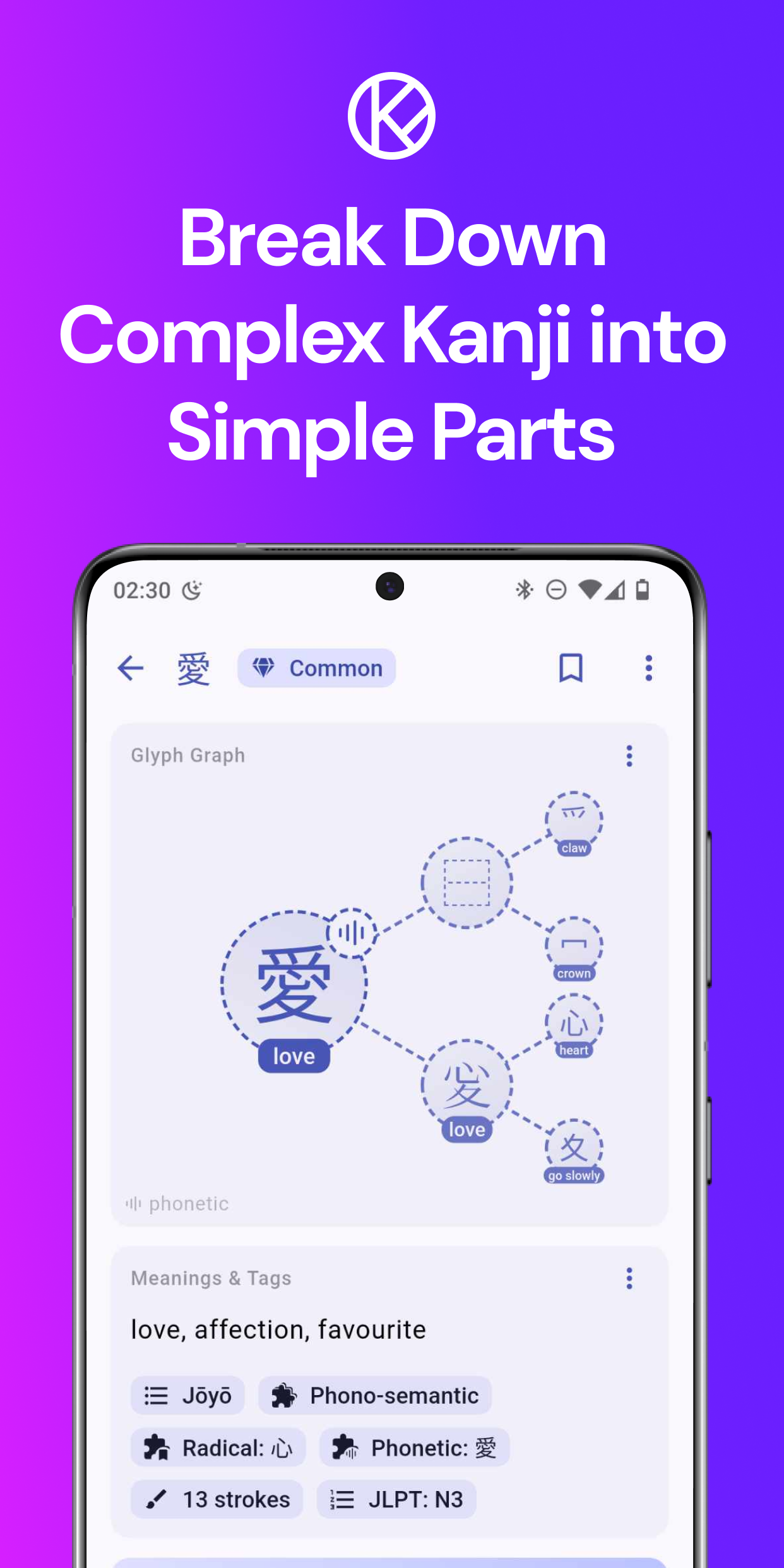
  • Glyph Graph: Breaks down kanji into components, helping learners understand the structure and relationships between kanji.
  • Sentence Generator: AI-powered sentence generation for contextual learning.
  • User Experience:
  • Sleek and Modern Design: The app is designed to be user-friendly with a clean interface and easy navigation.
  • Adaptive Learning: Kanjiverse adapts its content to the user’s level, offering a tailored learning experience that evolves as the learner progresses.
  • Customization:** **Users can create their own study profiles, bookmark kanji and vocabulary, and build custom lists. This makes it suitable for learners at all stages, from beginner to advanced.
  • Target Audience: Learners who want a comprehensive, adaptive learning tool that emphasizes both the structural understanding of kanji and contextual usage.
  • Cost: FREE

Conclusion

Each of these apps has its strengths and is suited to different types of learners:

  • Takoboto and Jisho excel as dictionary tools, ideal for quick lookups and reference but less comprehensive in guided learning.
  • Jitaku and Skritter offer personalized and interactive learning experiences, with both particularly strong in kanji handwriting practice.
  • Ringotan is great for beginners who want to focus on writing and recognition, offering a flexible approach to kanji study.
  • Kanjiverse stands out with its Glyph Graph and AI Sentence Mining features, making it a comprehensive tool that combines traditional kanji study with modern, adaptive learning methods.

Ultimately, the choice of app depends on your learning style, goals, and preferences. For those looking for an app that combines traditional kanji study methods with modern, context-based learning and extensive customization, Kanjiverse offers a compelling option​.

Kanjiverse: Your Modern Japanese Learner's Dictionary!

· 3 min read
Gloria Kristiani
Kanjiverse

We are thrilled to announce the official release of Kanjiverse, a free app designed to modernize the way you learn Japanese. After rigorous beta testing and invaluable feedback from our early users, we’re finally ready to bring Kanjiverse to the world—starting with Japan and Asia Pacific, then gradually expanding to more countries across the globe.

Key Features of Kanjiverse:​
  • Japanese Learner's Dictionary: At the heart of Kanjiverse is our comprehensive learner's dictionary. It's designed to be more than just a reference tool—it’s an interactive learning experience. With features like kanji decomposition, example sentences, and customizable flashcards, this dictionary is built to help you master Japanese in context.
  • Kanji Decomposition: Break down complex kanji into their basic components and understand their meanings at a granular level. This feature is perfect for learners who want to dive deep into the intricacies of the Japanese writing system.
  • AI-Powered Sentence Generator: One of our most exciting features! Generate endless example sentences based on the context you choose—whether it's from anime, drama, or games. This feature ensures you’re not just learning isolated words, but seeing them in action.
  • Customization Options: Tailor your learning experience with customizable cards. With Kanjiverse, you can focus on what matters most to you and progress at your own pace.
  • Offline Access: Learning doesn’t stop when you’re offline. Kanjiverse’s robust offline dictionary allows you to continue studying even without an internet connection.
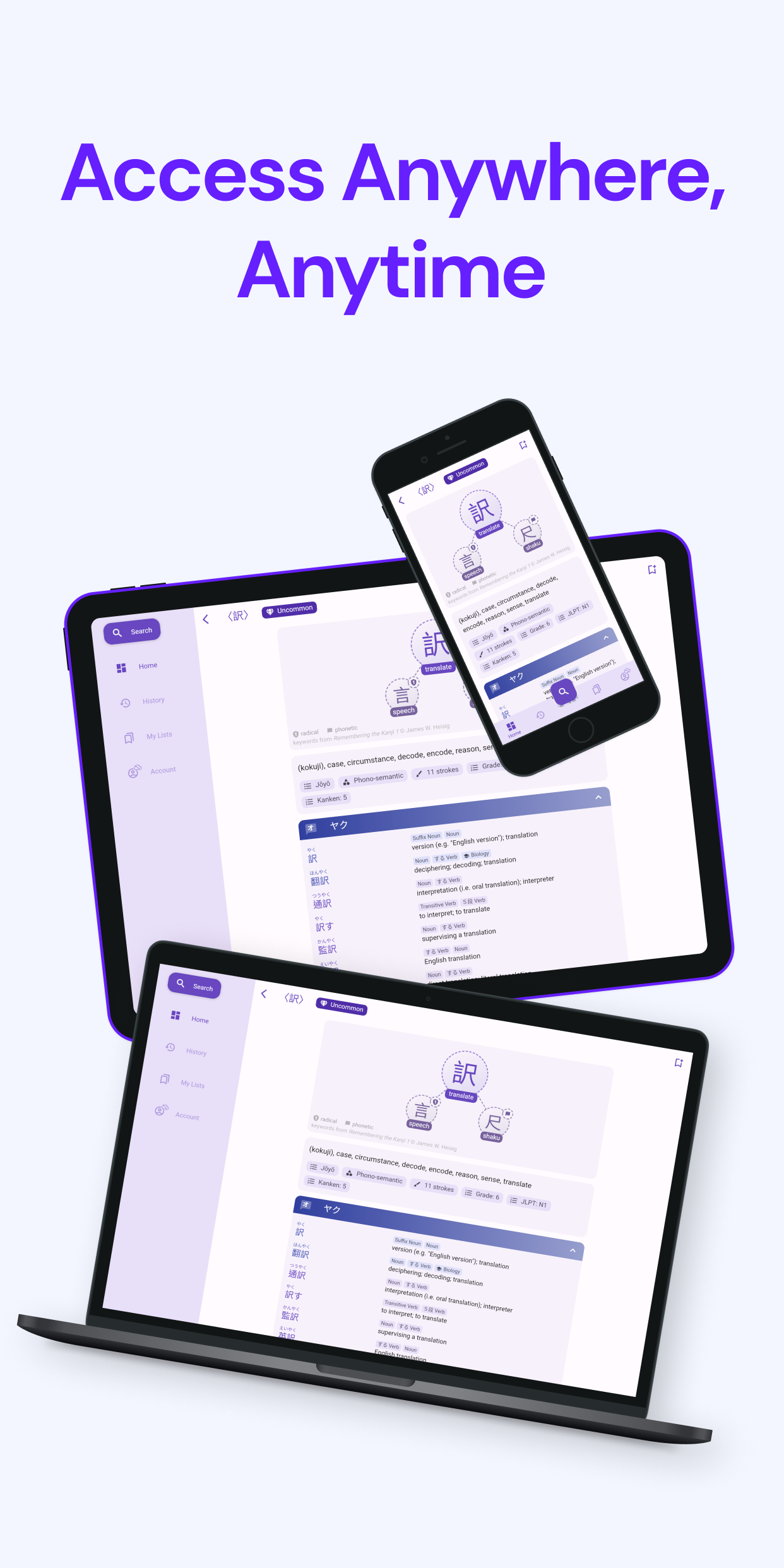
  • Seamless Sync Across Devices: Whether you’re using Kanjiverse on your phone, tablet, or web browser, your progress is always synced, ensuring a smooth learning experience across all your devices.
From Beta to Launch: Our Journey​

Our journey began with a vision to create a truly user-centric Japanese learning platform. During our beta phase, we invited learners from all walks of life to test Kanjiverse, and their feedback was instrumental in refining our features and improving the overall user experience. We’re deeply grateful to our beta users for their insights, and we’re proud to say that Kanjiverse is stronger and more effective because of them.

Rolling Out Globally​

As we launch in Asia Pacific, we’re excited to bring Kanjiverse to a broader audience. These regions have vibrant communities of Japanese learners, and we can’t wait to see how Kanjiverse will help them achieve their language goals.

What’s Next?​

This is just the beginning. We have big plans for Kanjiverse, including continuous updates, new features, and expansions to more regions. We’re committed to making Kanjiverse the ultimate tool for Japanese learners worldwide.

AI Sentence Generator

· 3 min read
Gloria Kristiani
Kanjiverse

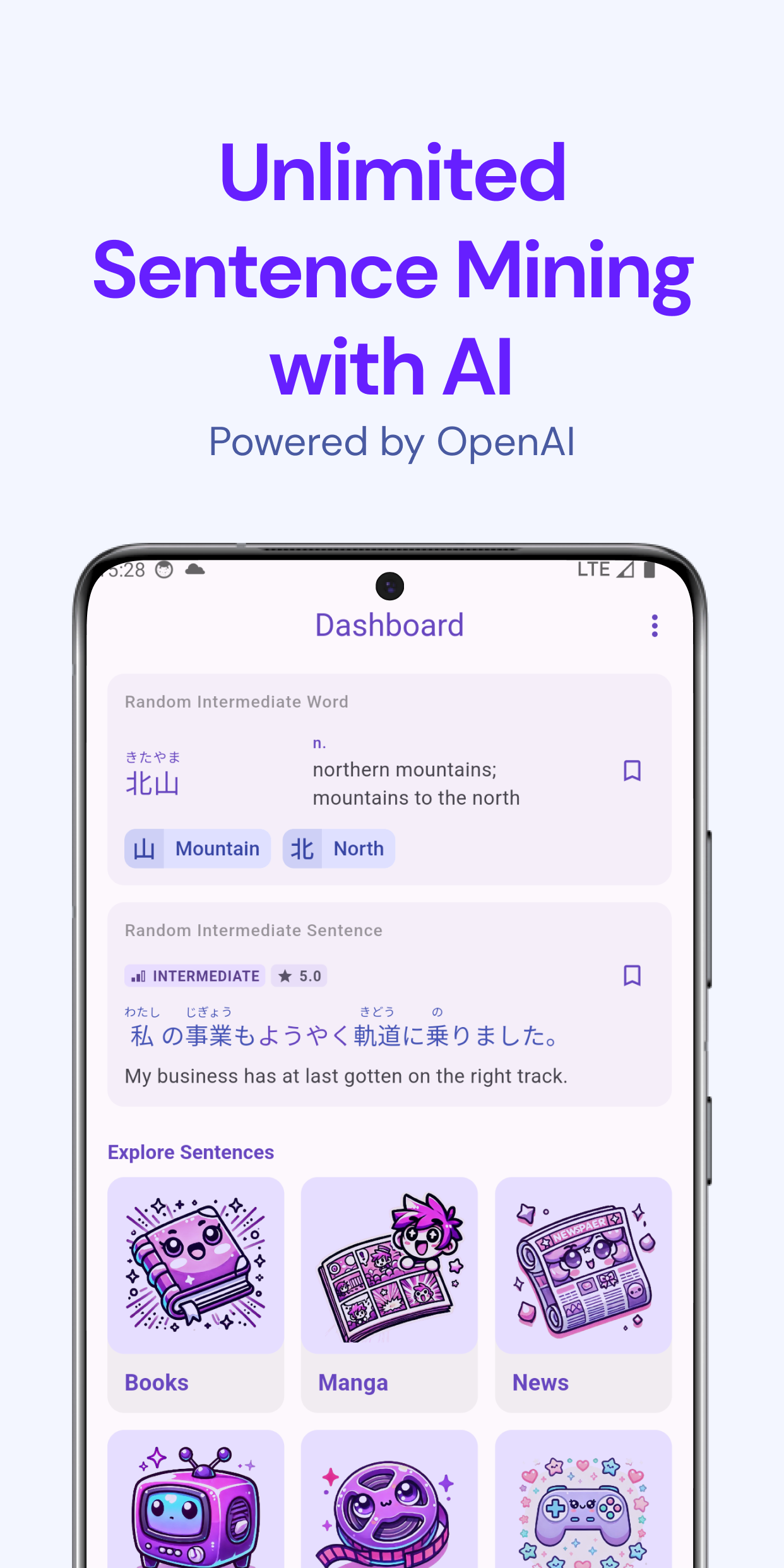
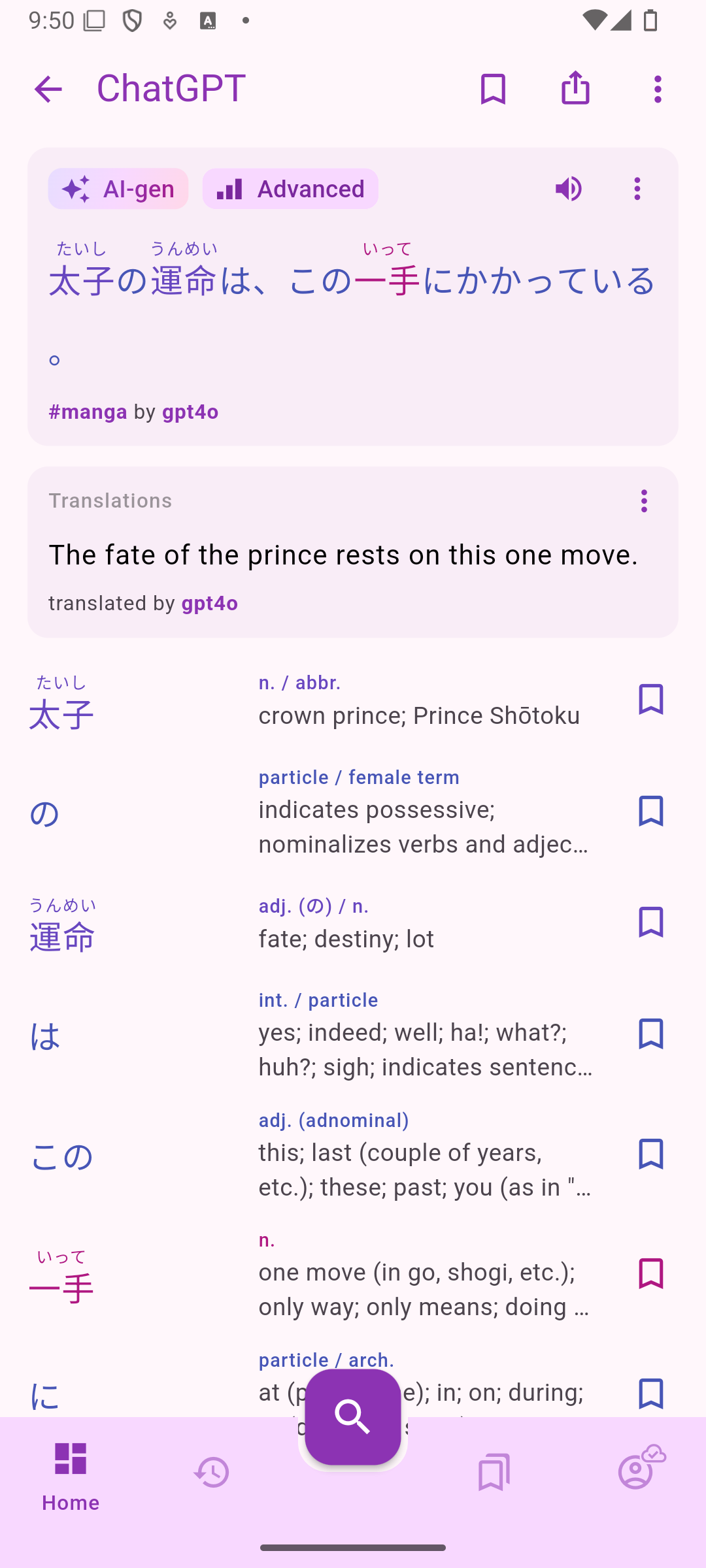
We are thrilled to announce the launch of our latest feature: the AI Sentence Generator, unlocking unlimited sentence mining! This feature provides you with contextually relevant sentences based on the media type of your choice. Whether you're diving into Japanese through manga, dramas, or movies, we got you covered.

Explore Sentences on the Dashboard​

The updated dashboard now features a selection of media options for sentences. You can explore AI-generated sentences, as well as sentences created by other users, across various categories such as Movies, Dramas, Manga, Games, Books, and News.

Generate Sentences in the Word Dictionary​

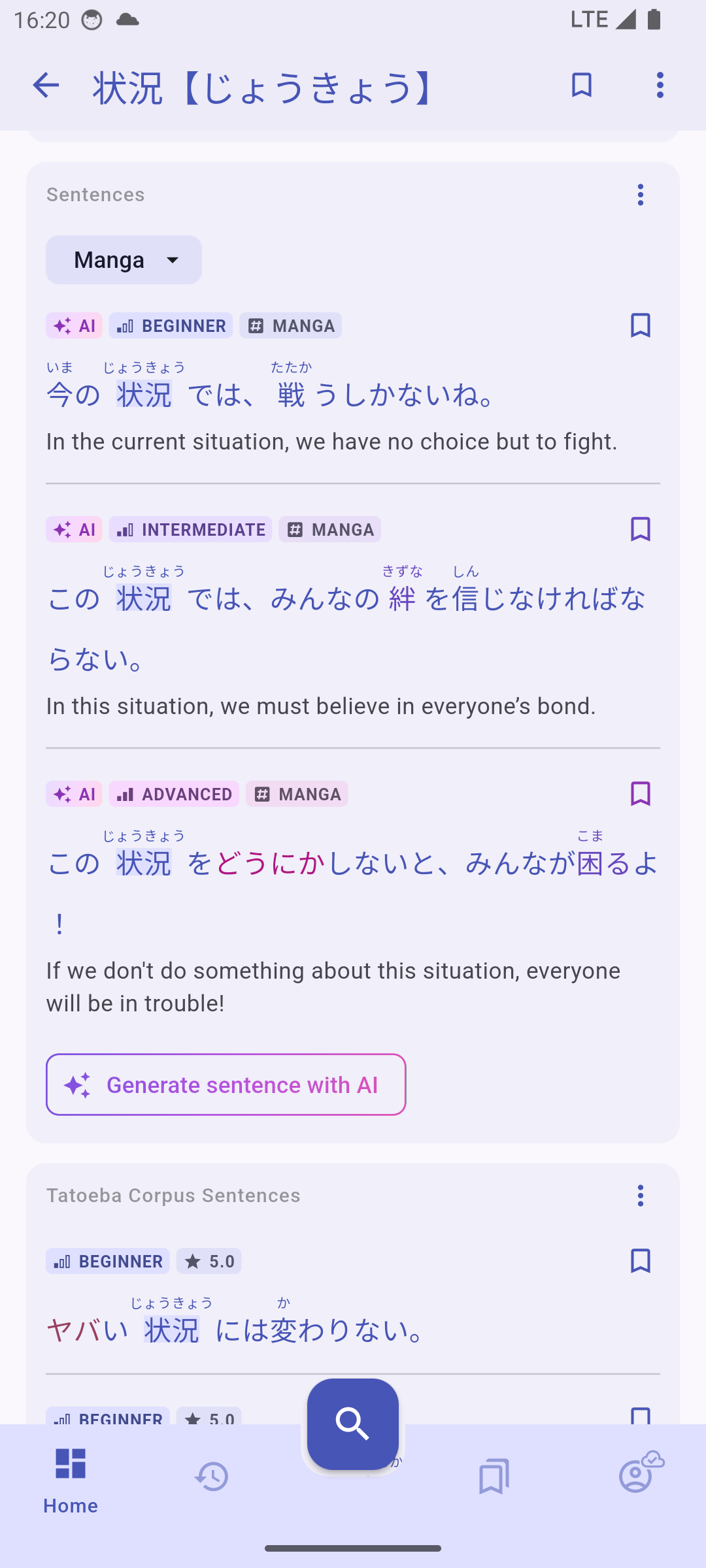
We've introduced a new *Sentences *card in the Word Dictionary, separated from the Tatoeba Corpus Sentences card, that lists all sentences shared by other users. You can filter them by media type, and if you cannot find any of your liking, you can generate new ones with AI!

How It Works​

  1. Select Media Type: Choose the Category (book, news, movie, manga, drama, game) from the dropdown menu, or leave it empty (or select Any) to have the category selected randomly.
  2. **Adjust your Level: **The difficulty of the generated sentence is influenced by your self-assigned Japanese level (change it in Account > Switch Level) and the current max difficulty filter (change it in the Settings of the Sentences card, accessible from its overflow menu).
  3. Generate Sentences: Tap the Generate sentence with AI button to generate a sentence that fits the chosen media type, (roughly) matches your level, and incorporates the word of the current page.
  4. Explore and Learn: Use the generated sentences to enhance your vocabulary and understanding of how words are used in different contexts. You can bookmark the sentences and add them to your lists. All generated sentences are public (they belong to the gpt4o user), cleared labeled as AI-generated, and should be listed on the dashboard's sentence categories according to their media type.
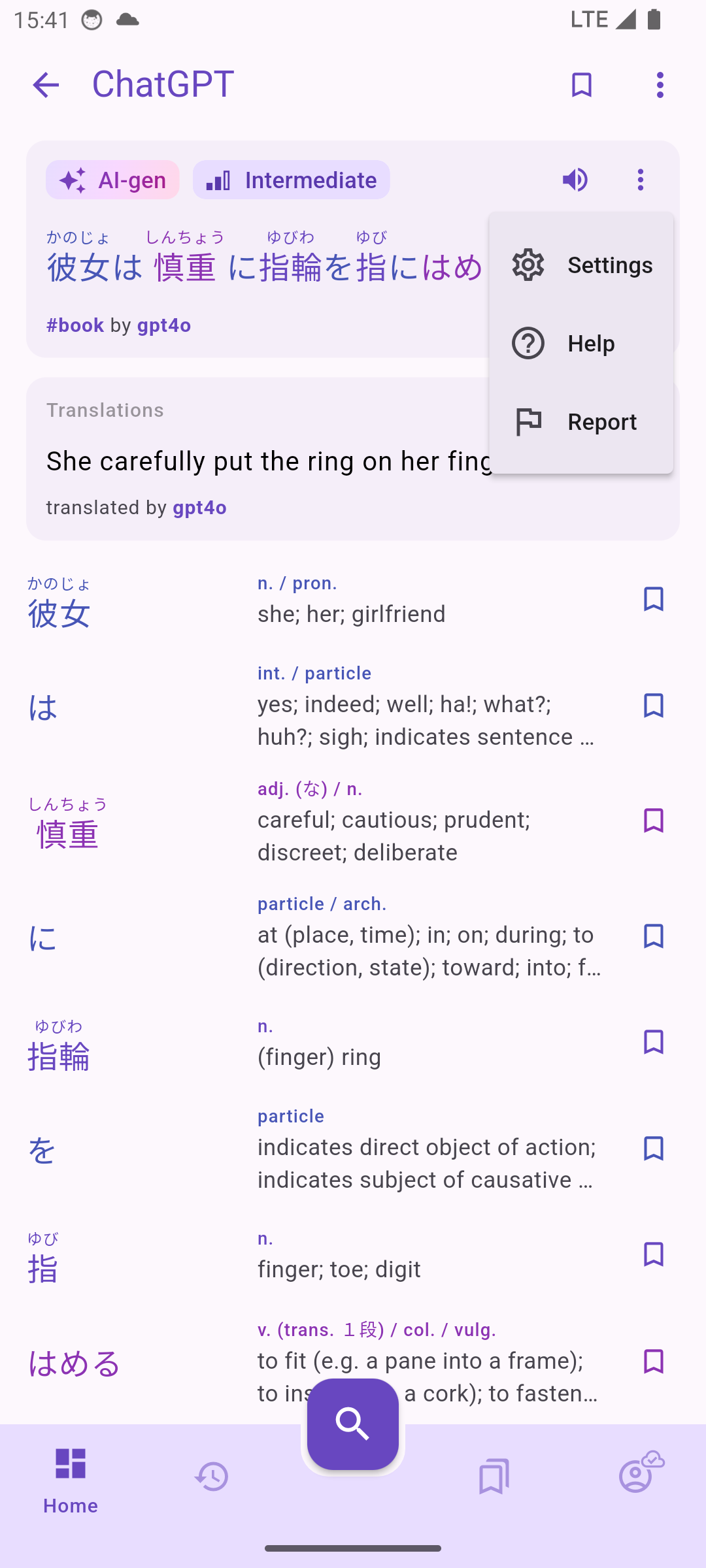
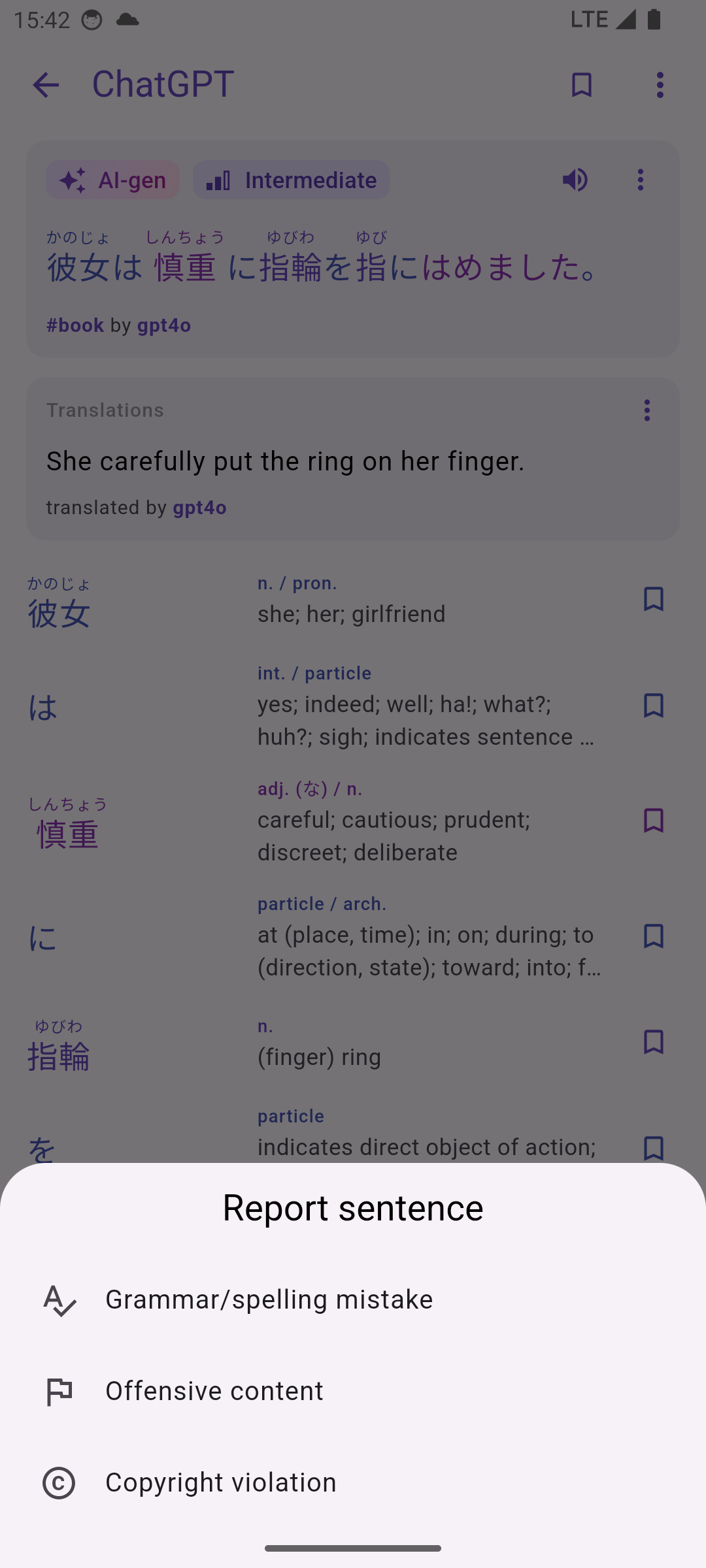
  5. Report Issues: Although we are using OpenAI's best model to generate sentences, there might still be cases where it generates wrong or inappropriate content. You can report it from the sentence's overflow menu.

Search sentences by hashtag​

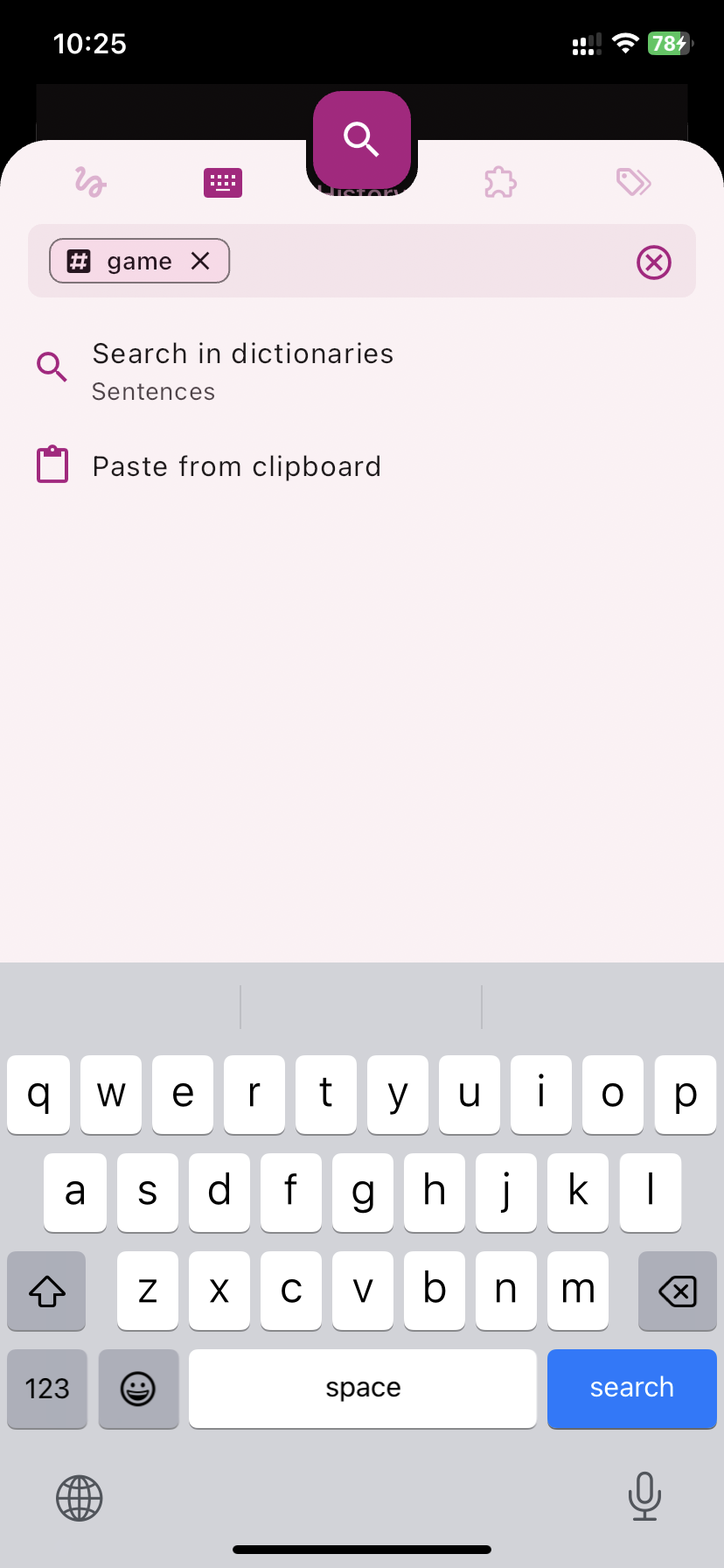
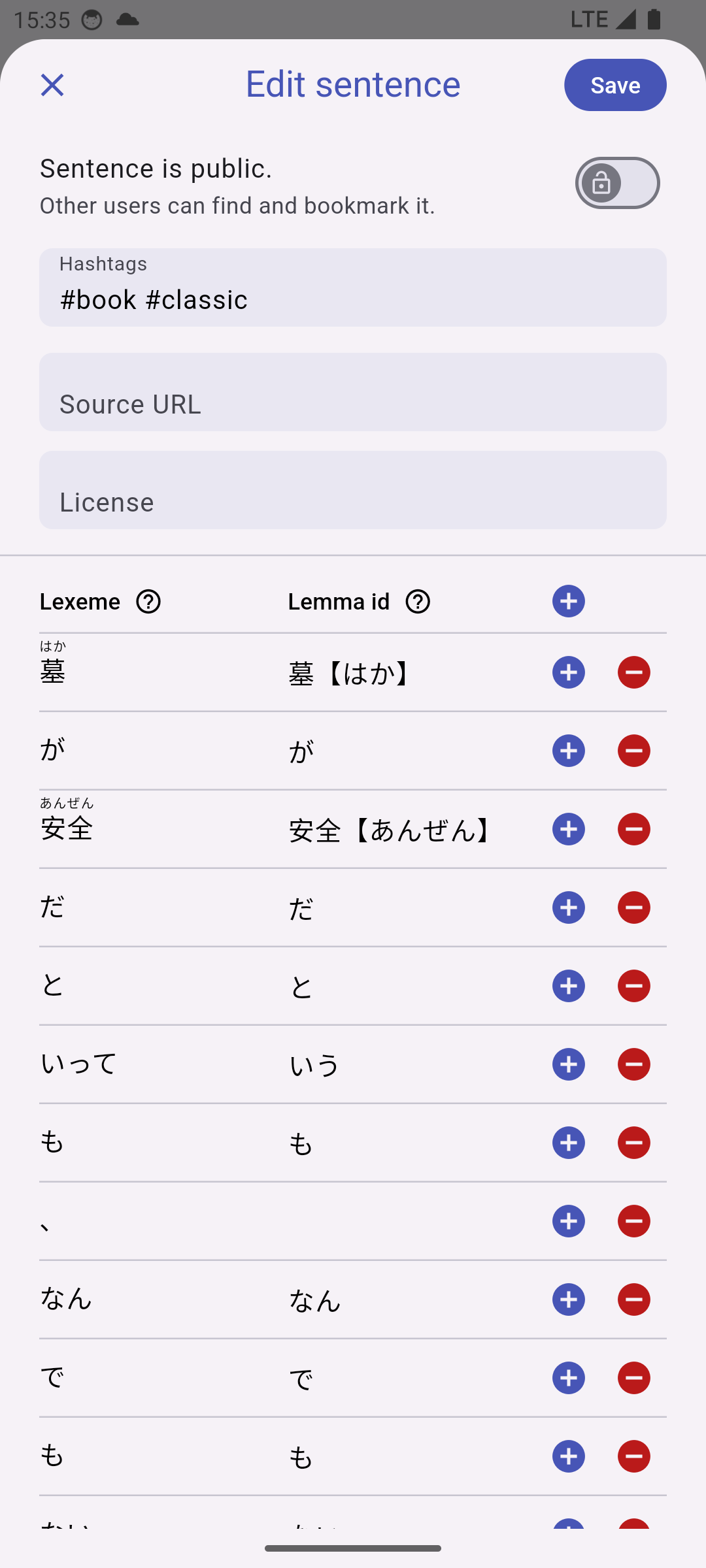
Sentences can be assigned hashtags that are displayed below the sentence. You can now search sentences with those hashtags by typing a # symbol in the search bar. All AI-generated sentences are tagged by category. You can also tag your own sentences to help others find them.
Report Content​

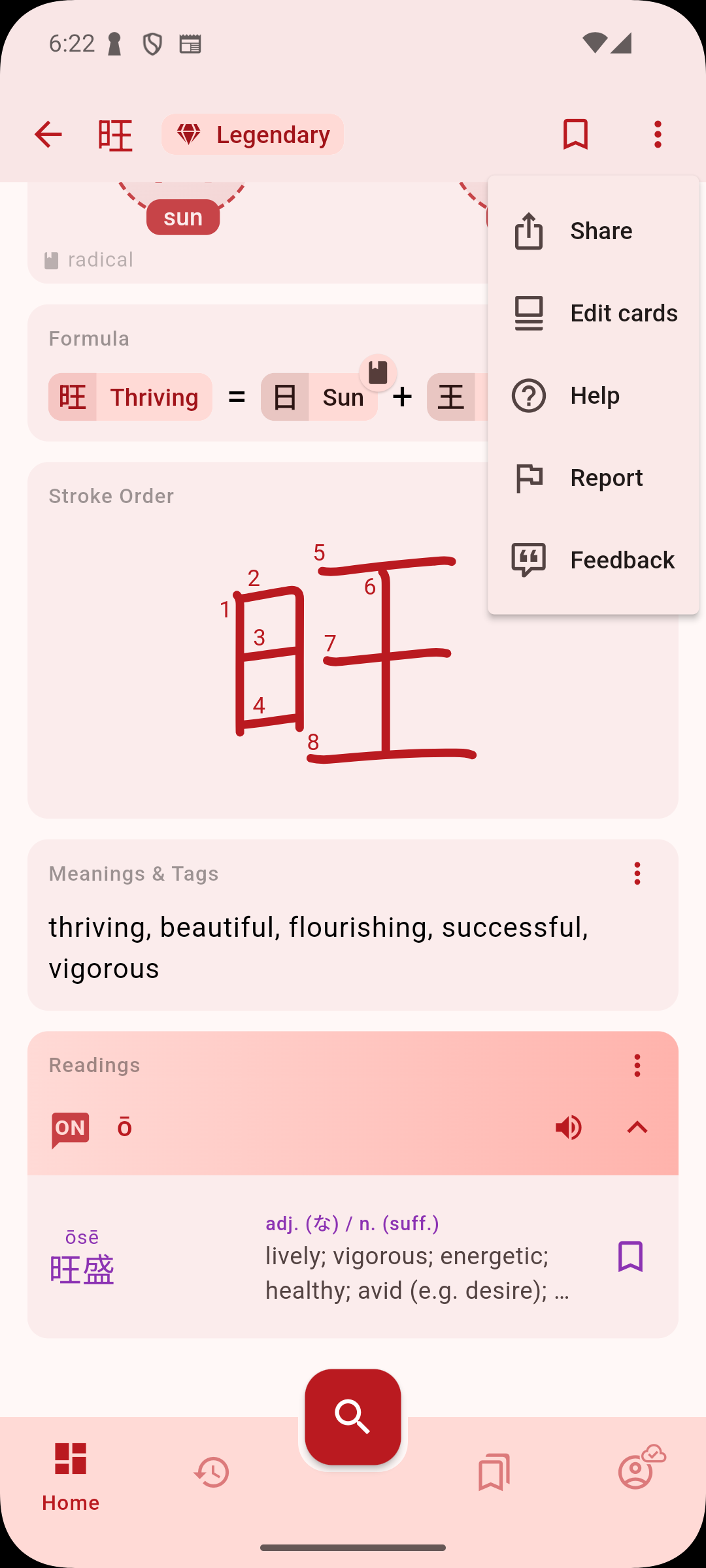
We've added a quicker way to report content that is offensive, violates copyright, or has grammar/spelling mistakes. Just tap on the overflow "..." button next to the item you want to report, select Report from the menu then choose the reason for reporting. It is anonymous and helps curate the content for the whole community. For bug reports and other feedbacks, please continue to use the Feedback form on Android (from the overflow menu at the top of each page), or by taking a screenshot on iOS then selecting send feedback from the sharing menu.
Get Started Today!​

Ready to take your Japanese learning to the next level? Head over to the Dashboard or a Word Dictionary page and start generating AI sentences today. Go explore all the sentences that others have generated too!

Cards Edit Mode

· 3 min read
Gloria Kristiani
Kanjiverse

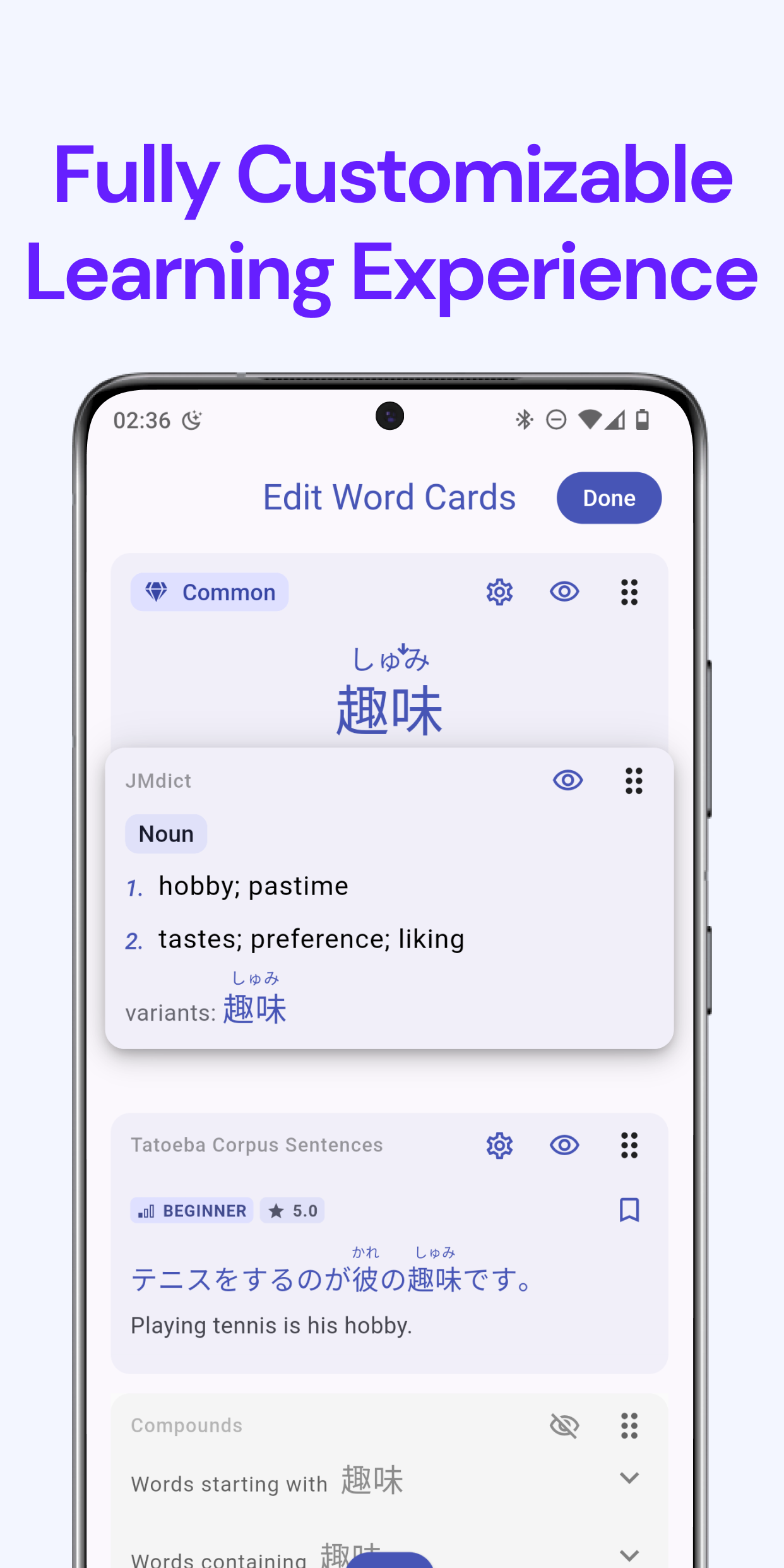
We're excited to announce a powerful new feature in Kanjiverse that will revolutionize the way you interact with cards: the "Edit Cards" mode. This latest update is designed to give you greater control and personalization of your learning content directly within our dictionary.

What's New?​

The "Edit Cards" feature allows you to tailor your learning by organizing and customizing the cards in your dictionary page according to your study preferences. Here’s what you can do:

  • Drag and Sort: Easily rearrange the order of the cards on your dictionary. Whether you prefer to see meanings, radicals, or examples first, you can organize your cards to match your study style.
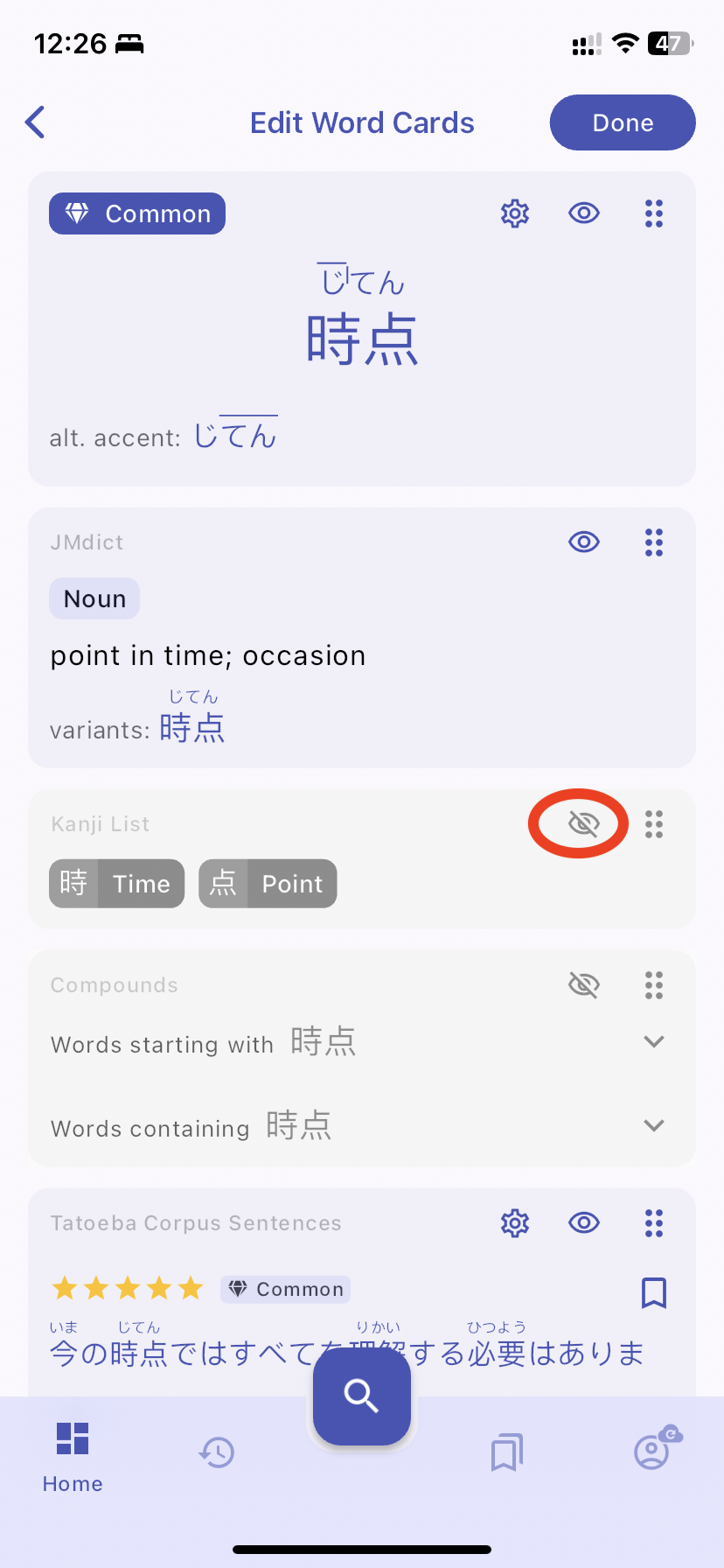
  • Hide/Unhide Information: Clutter no more! You can now choose to hide the cards that you are less focused on, creating a cleaner and more tailored learning interface. Prefer to focus solely on stroke order or want to challenge yourself without the crutch of romaji? Simply hide the elements you don’t need from the page.
  • Direct Editing from the Dictionary: Access these features directly from the dictionary page. With a simple tap on the edit button, you can customize your card without navigating away from your current study session.

How to Use the Edit Cards Feature?​

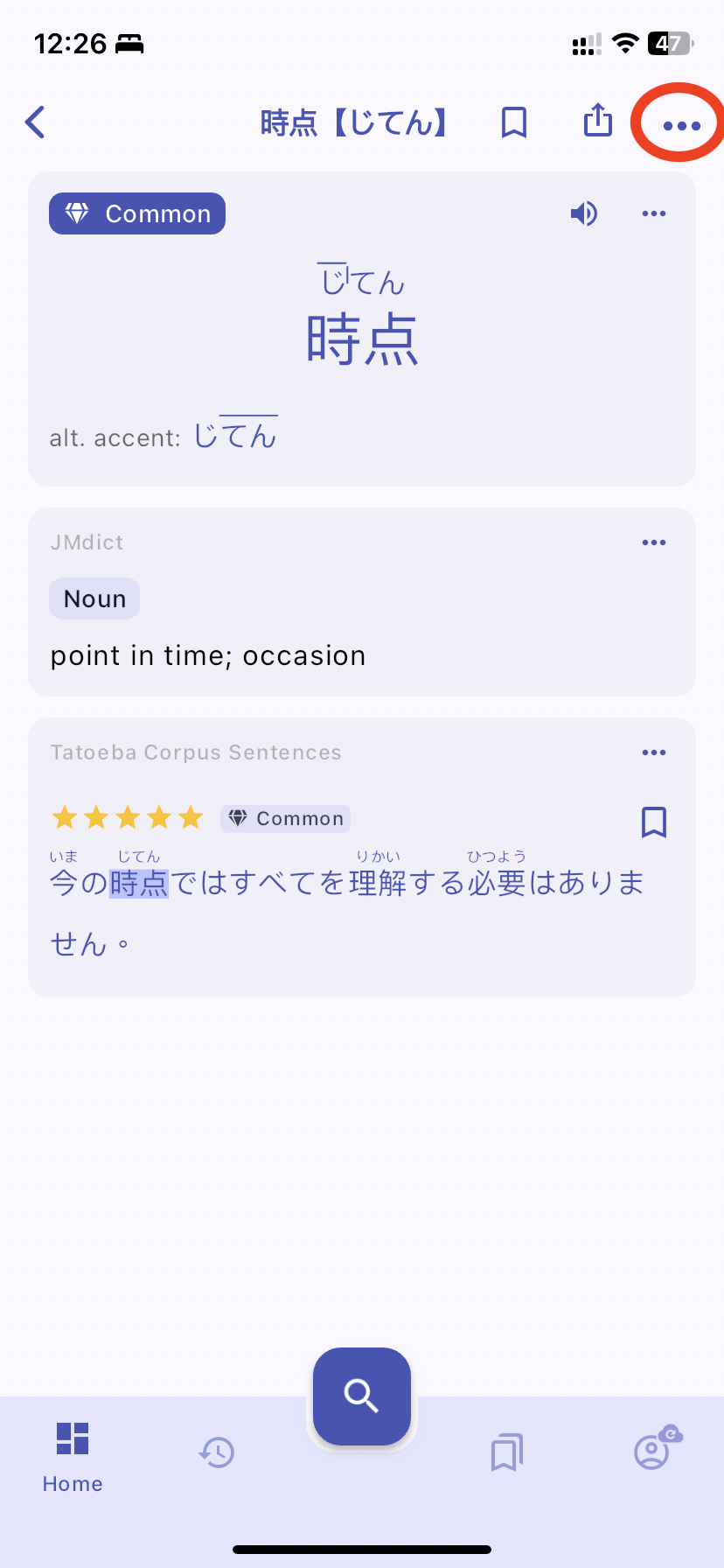
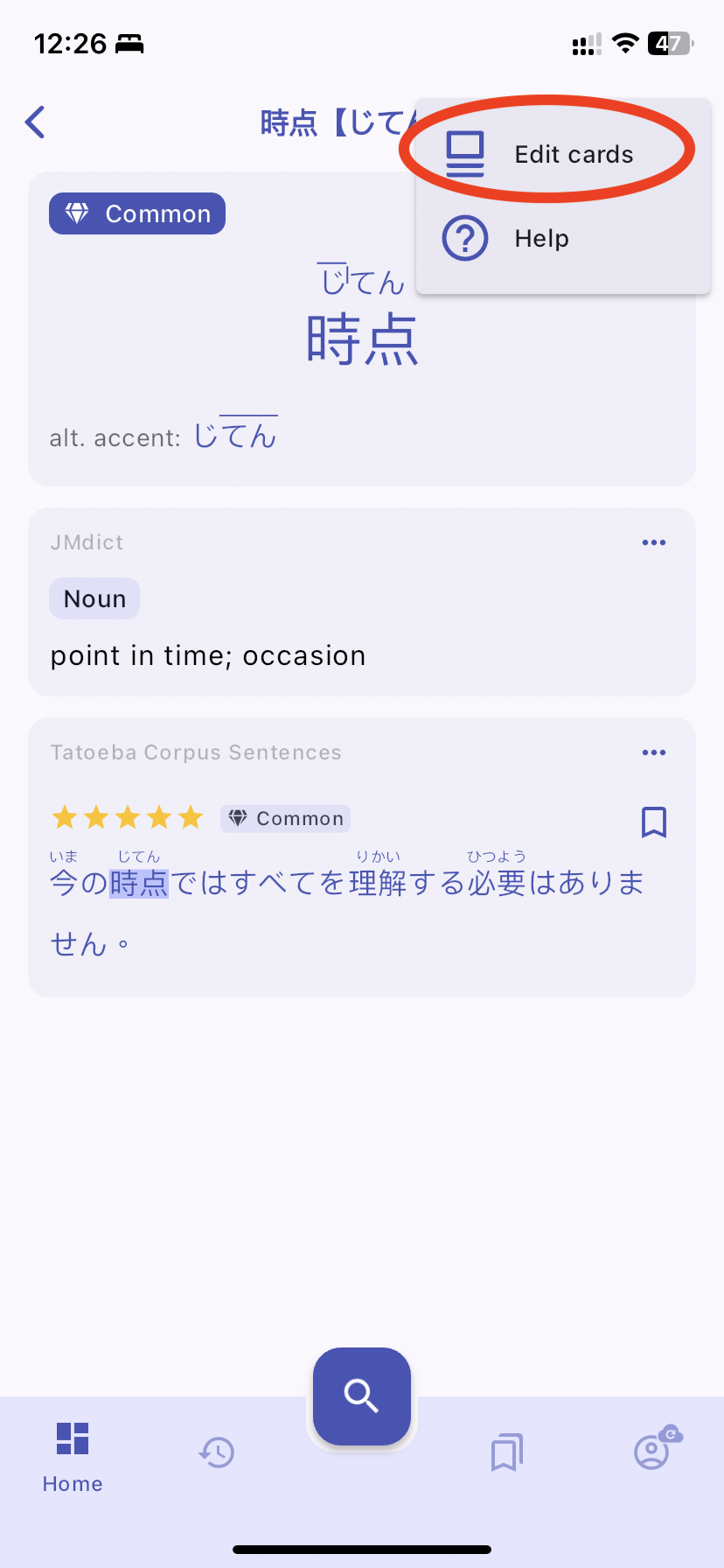
  • Accessing Edit Mode: Open any kanji/words in the dictionary and tap on the "Overflow" icon at the top of the page. Then click "Edit Cards."
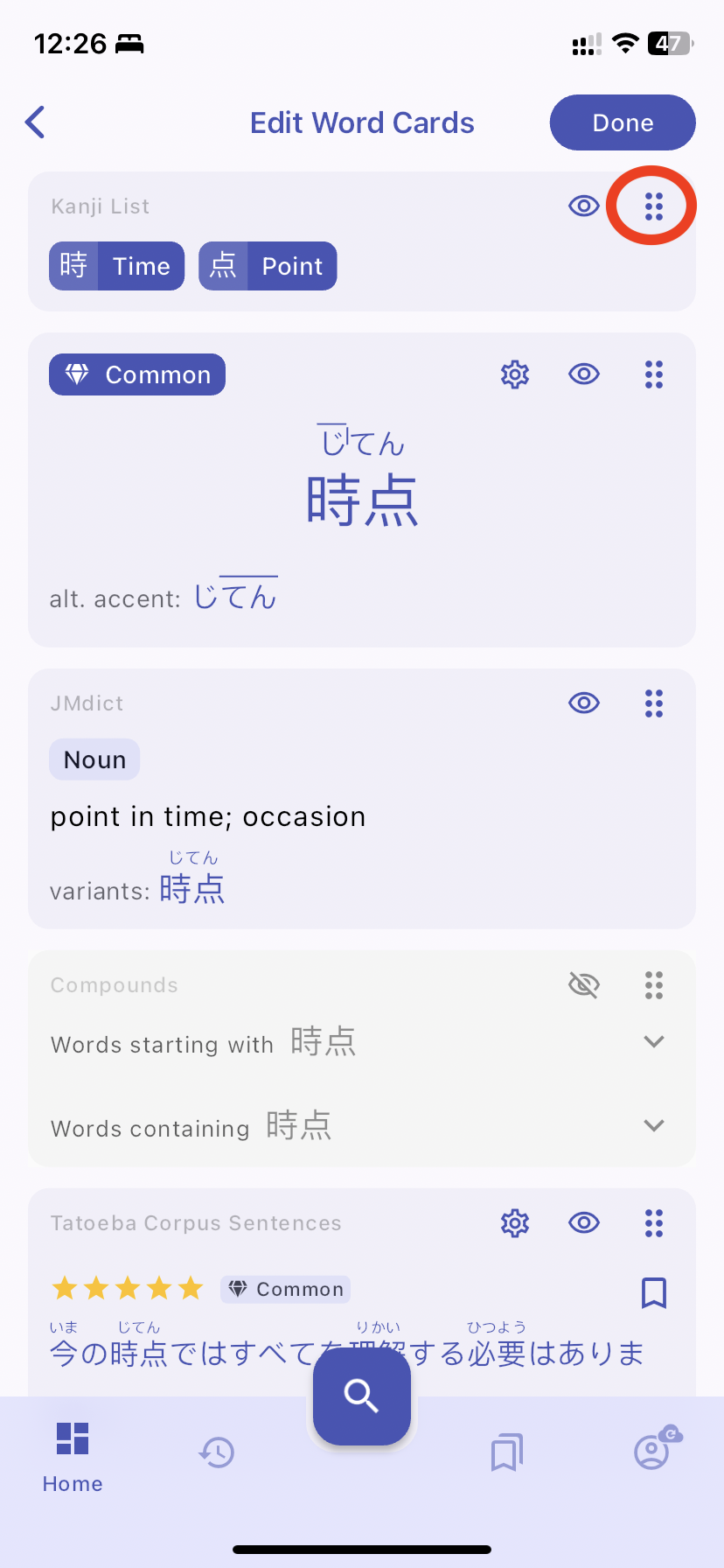
  • Customizing Your Dictionary Page: Use the drag handles to reorder the cards on the page. Drag Handles
  • Use the visibility toggles to show or hide specific cards. Hide/Unhide Toggle
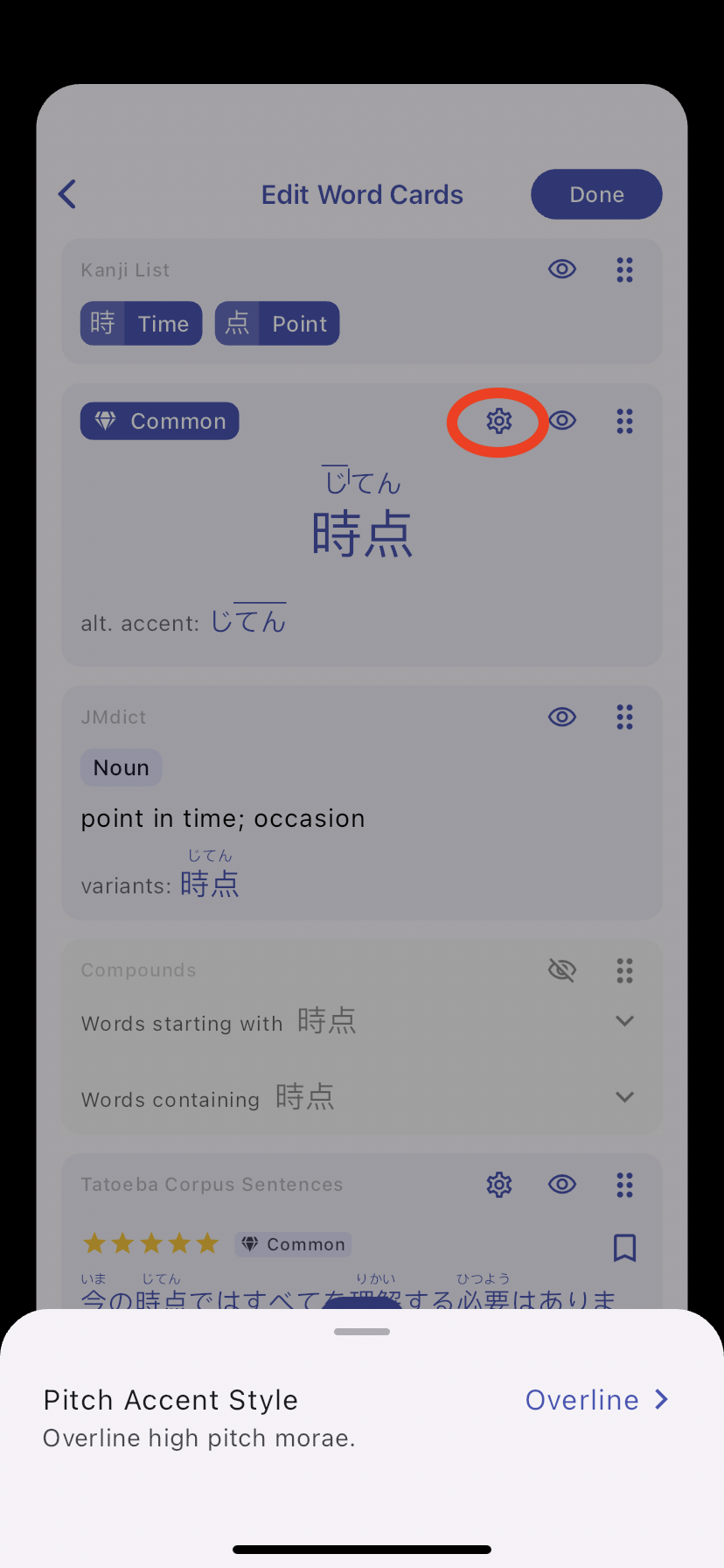
  • Edit the settings of each card by tapping on the settings button. A sheet that is similar to the one on the Settings page will appear. Edit Settings
  • Exiting the Edit Mode: Once you're satisfied with the new layout and card visibility, just tap "Done" to go back to the read-only mode.

In-Card Customization​

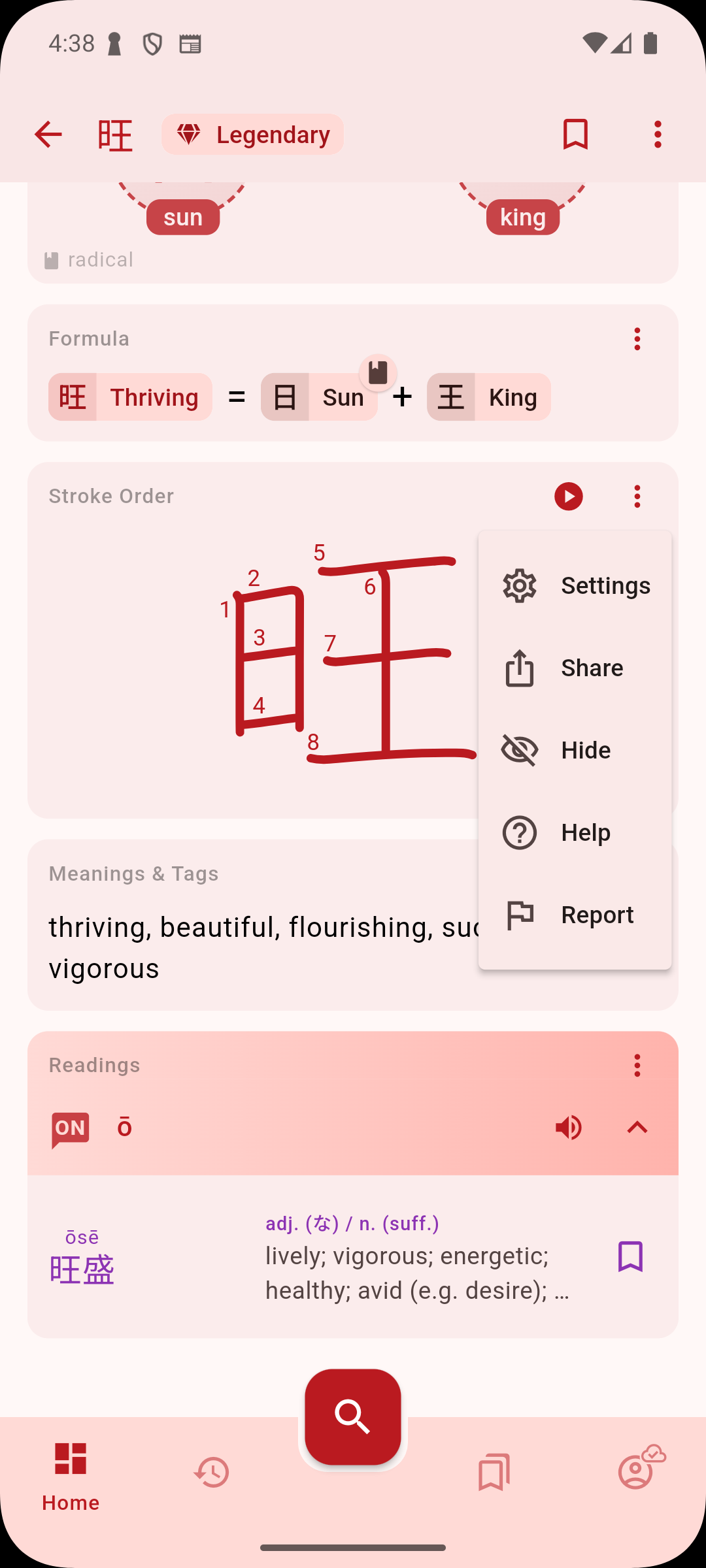
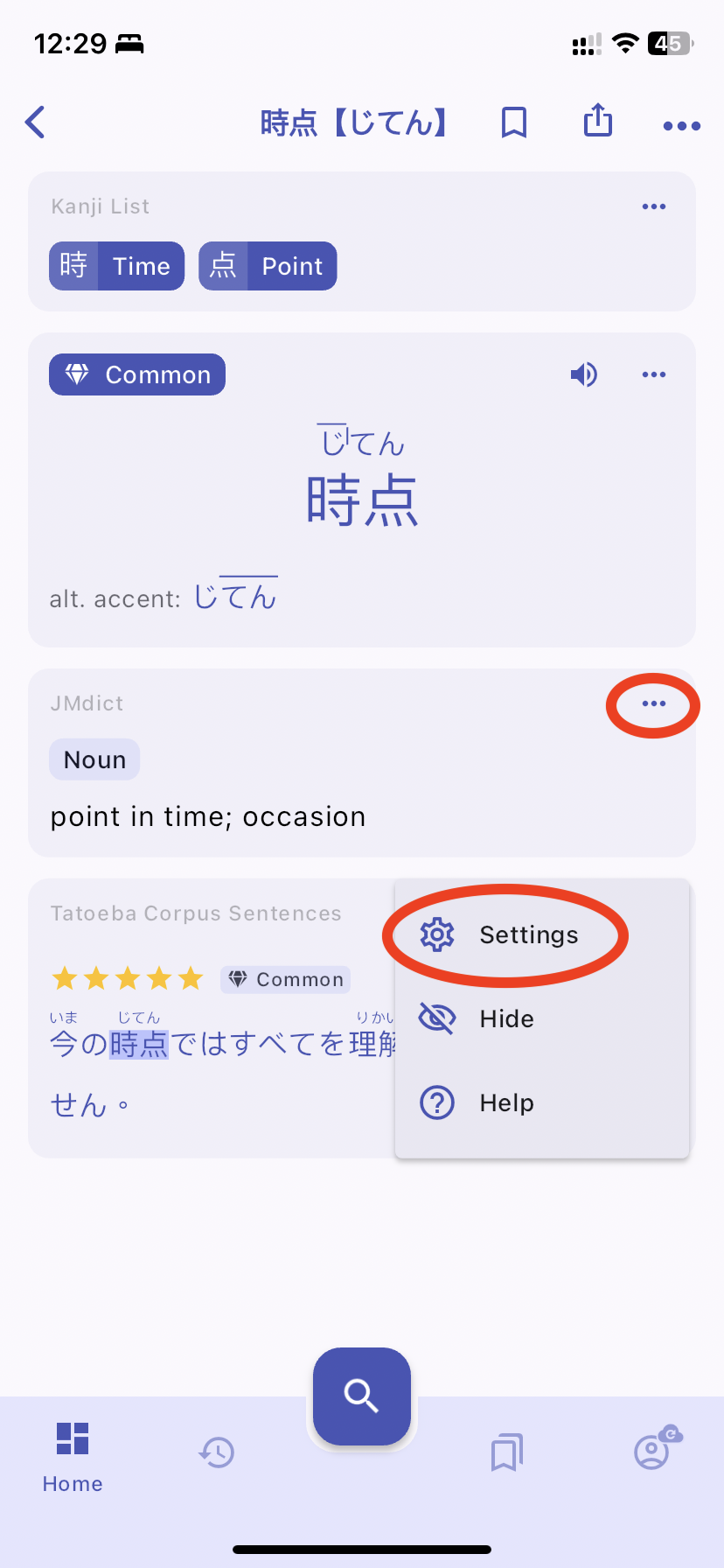
You also have the ability to customize cards directly from the overflow menu of a card. You don't even have to enter "Edit Cards" mode to find customization options.

How It Works

  • You can hide it, access its settings, or refer to the help manual for that specific card.

Designed With You in Mind​

This feature was developed based on valuable feedback from our user community, who expressed the need for more dynamic and customizable learning tools. By enabling learners to structure their study materials in a way that best suits their individual learning styles, we believe that Kanjiverse can become even more effective and engaging.

We invite all our users to try out the new editing feature and customize their learning experience to better suit their needs. As always, we look forward to your feedback to continue improving and making Kanjiverse the best resource for studying Japanese.