Landscape Mode, New Design and Improved Performances
· 5 min read
Version 0.5.0 adds a proper landscape mode, bug fixes and speed improvements from startup time to animations.
Gallery of Major Changes
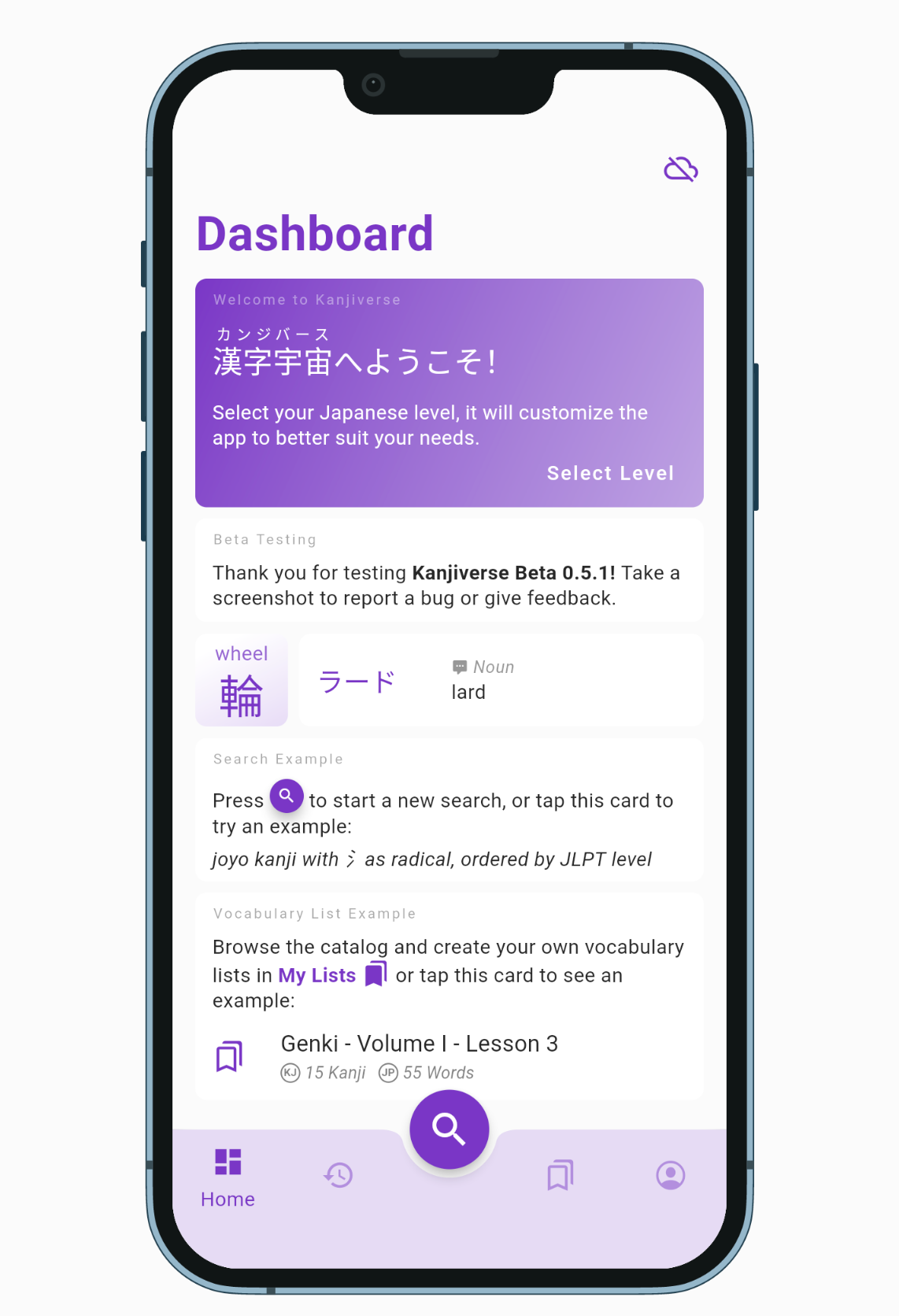 Onboarding screen has been replaced by a welcome card so you can use the app right away without selecting your Japanese level.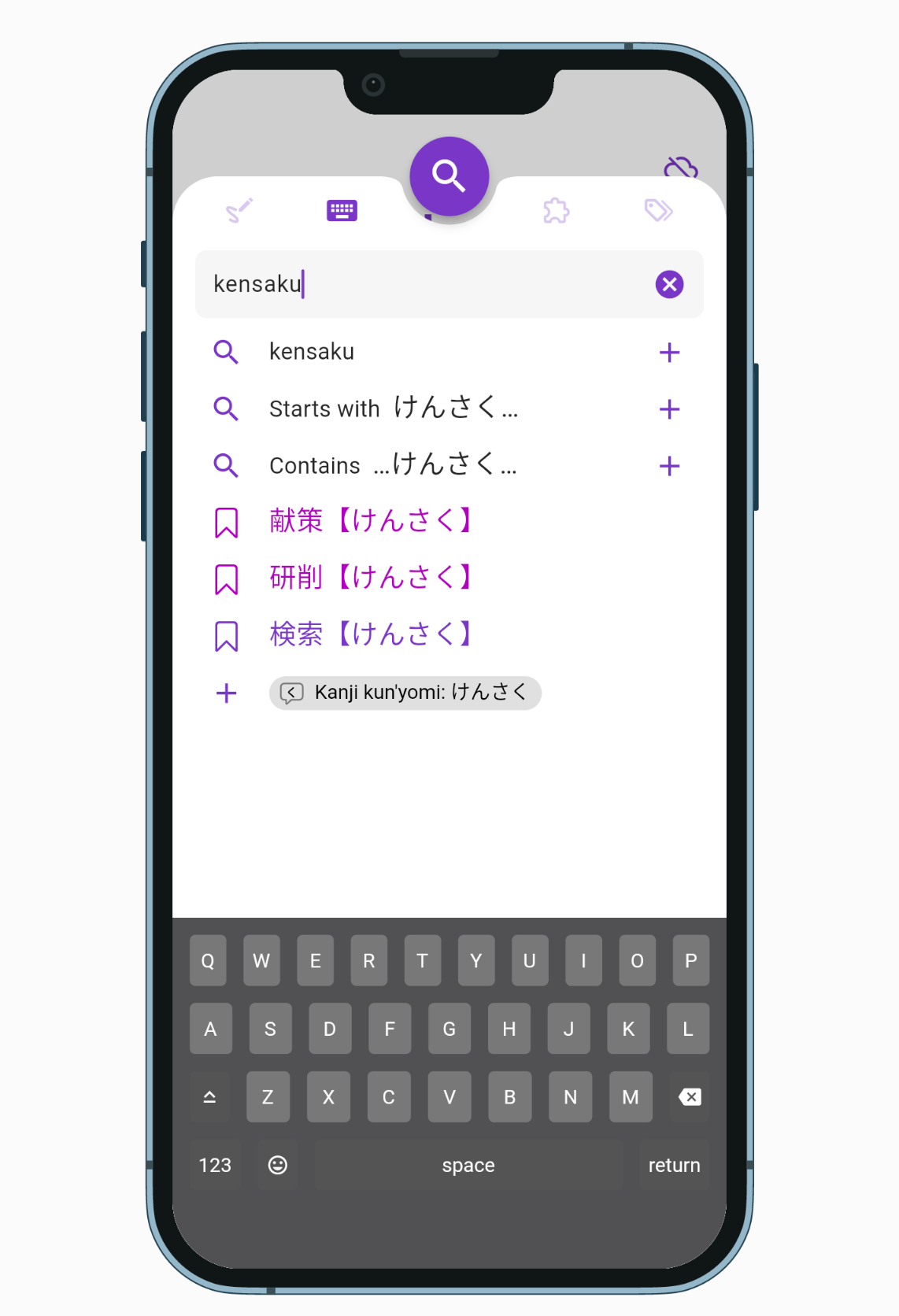
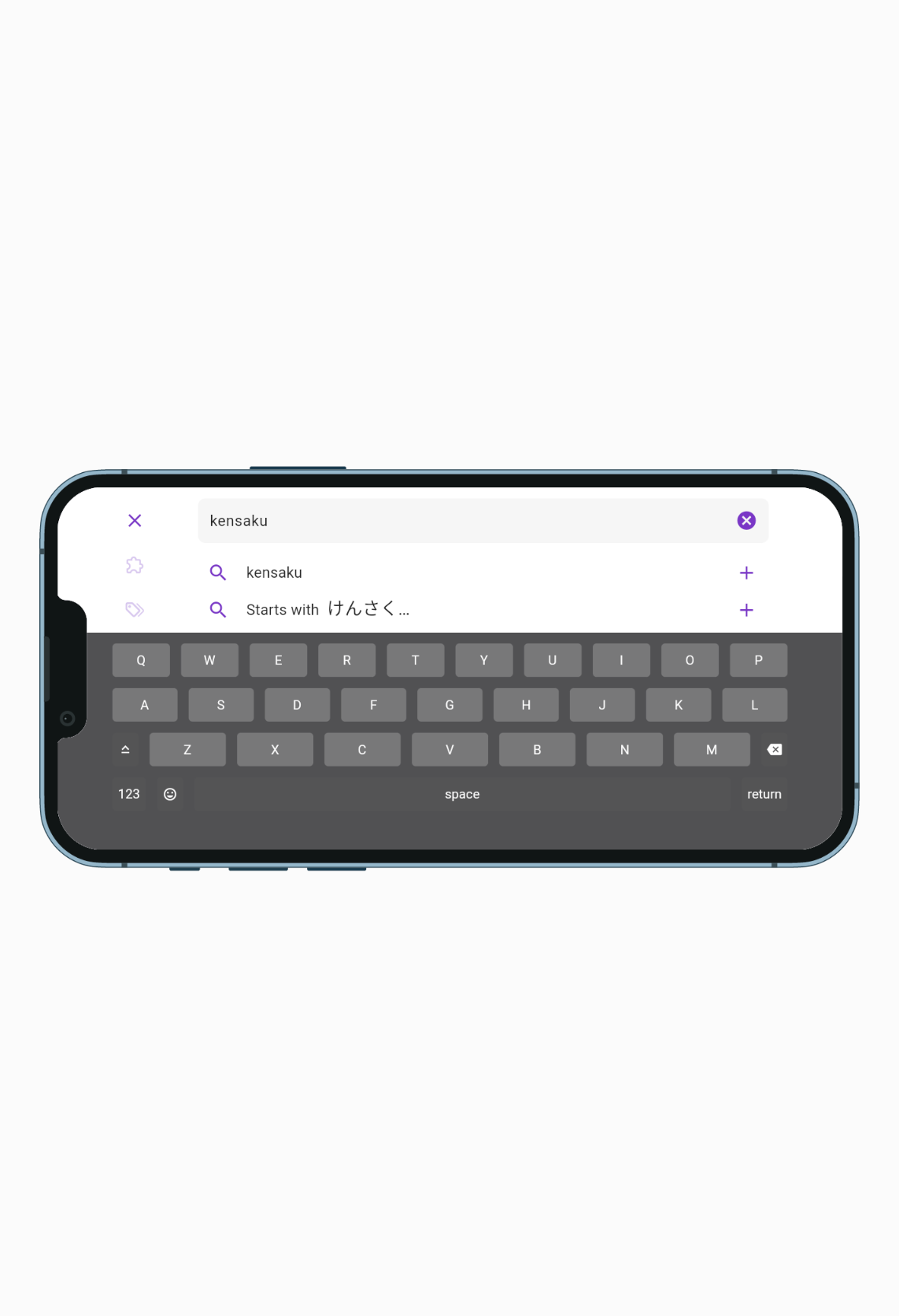 Search sheet is taller and has a denser layout to show more auto complete suggestions.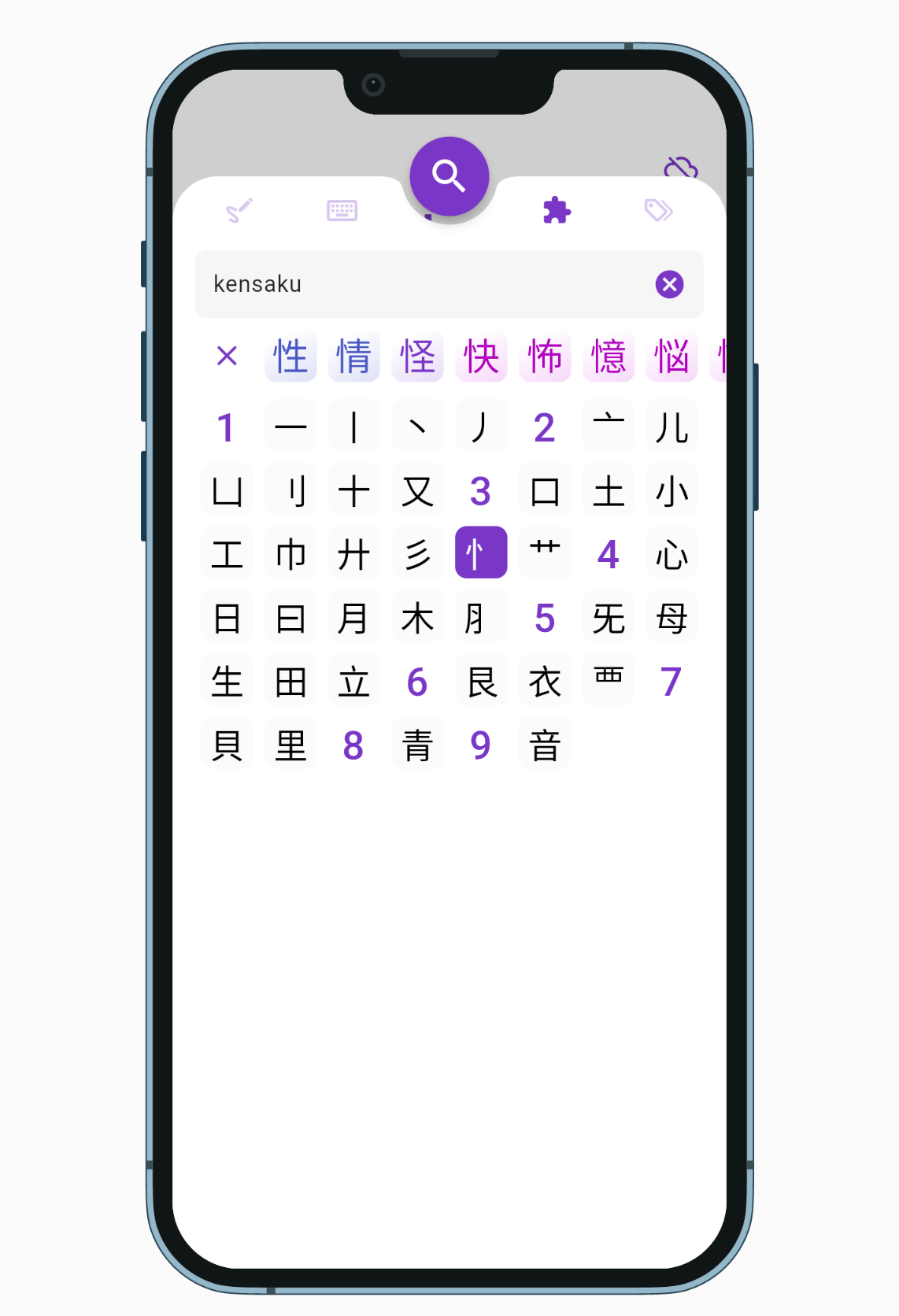
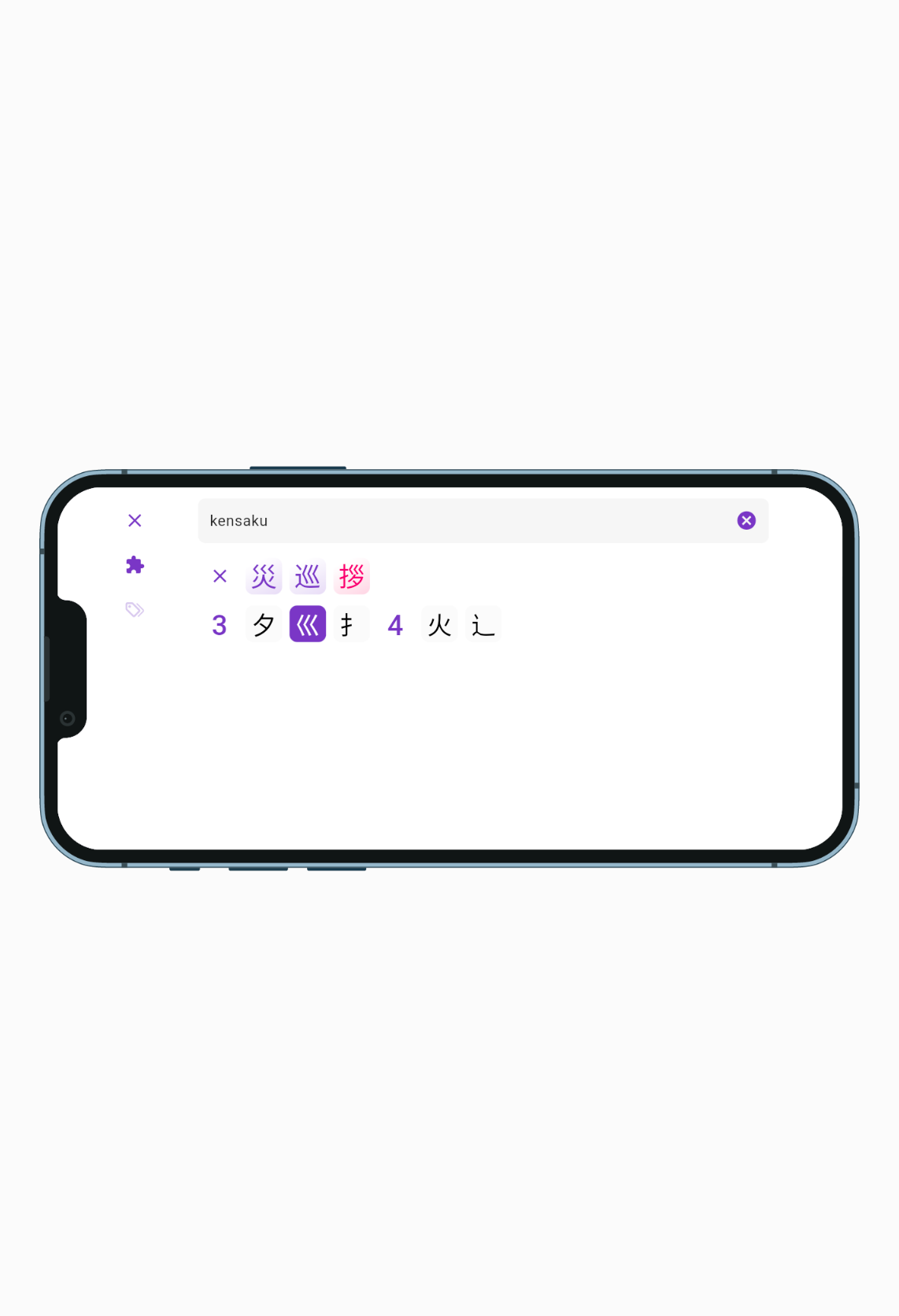 Search by Components displays only the selectable kanji parts to help narrow down a search.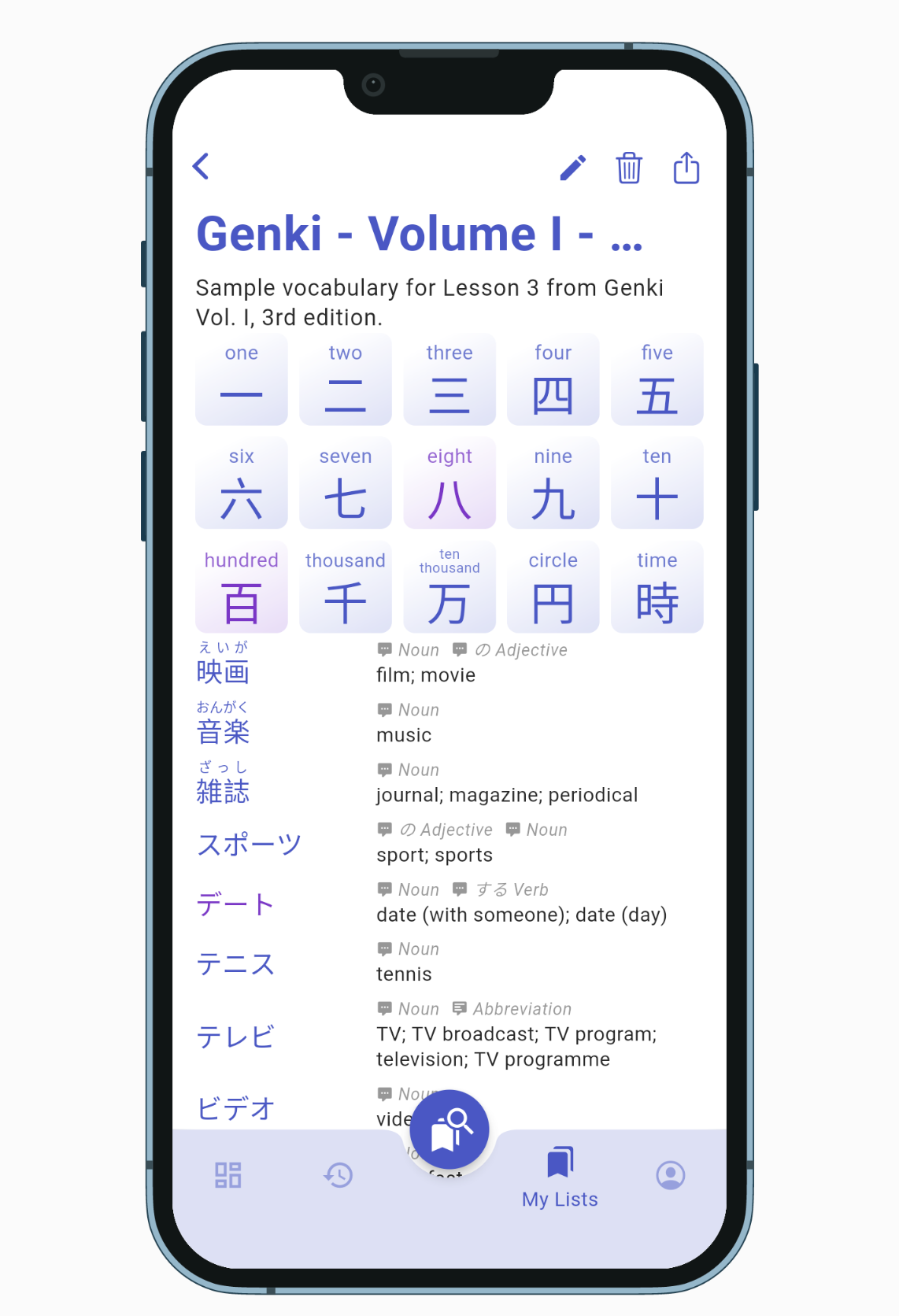
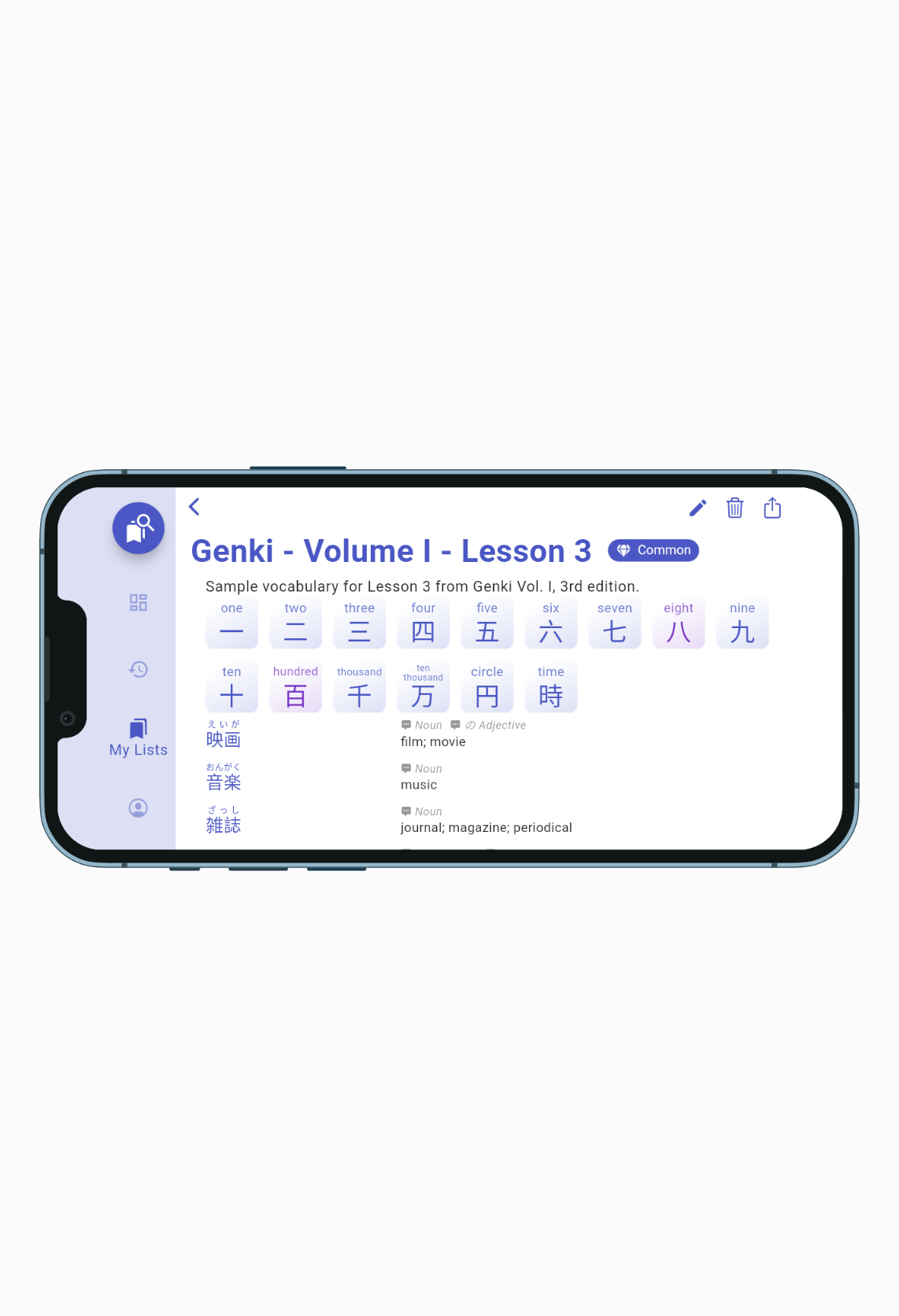 New denser layout for lists (no cards) and wider landscape mode that switches the bottom navigation bar with a left side rail navigation.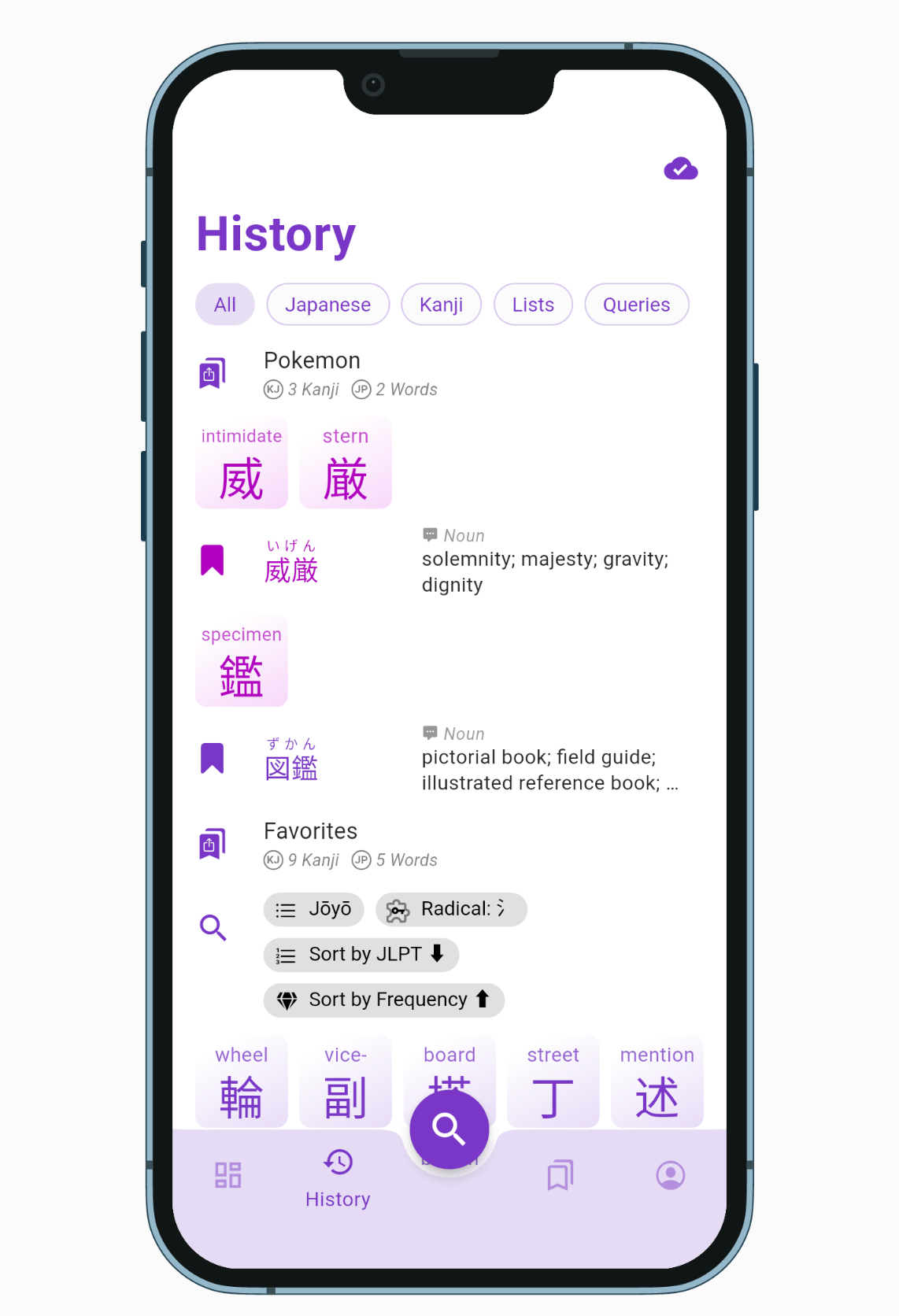
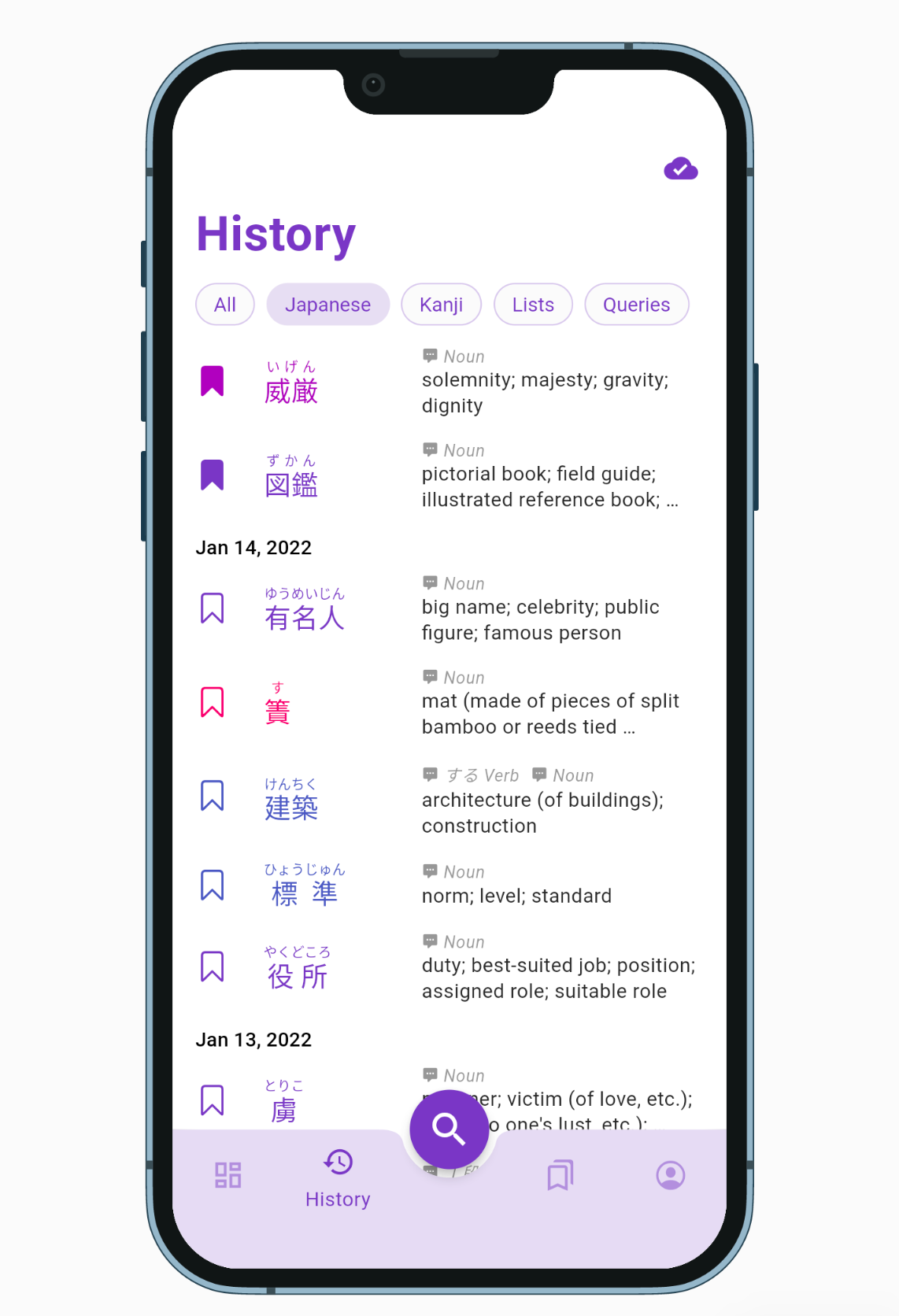
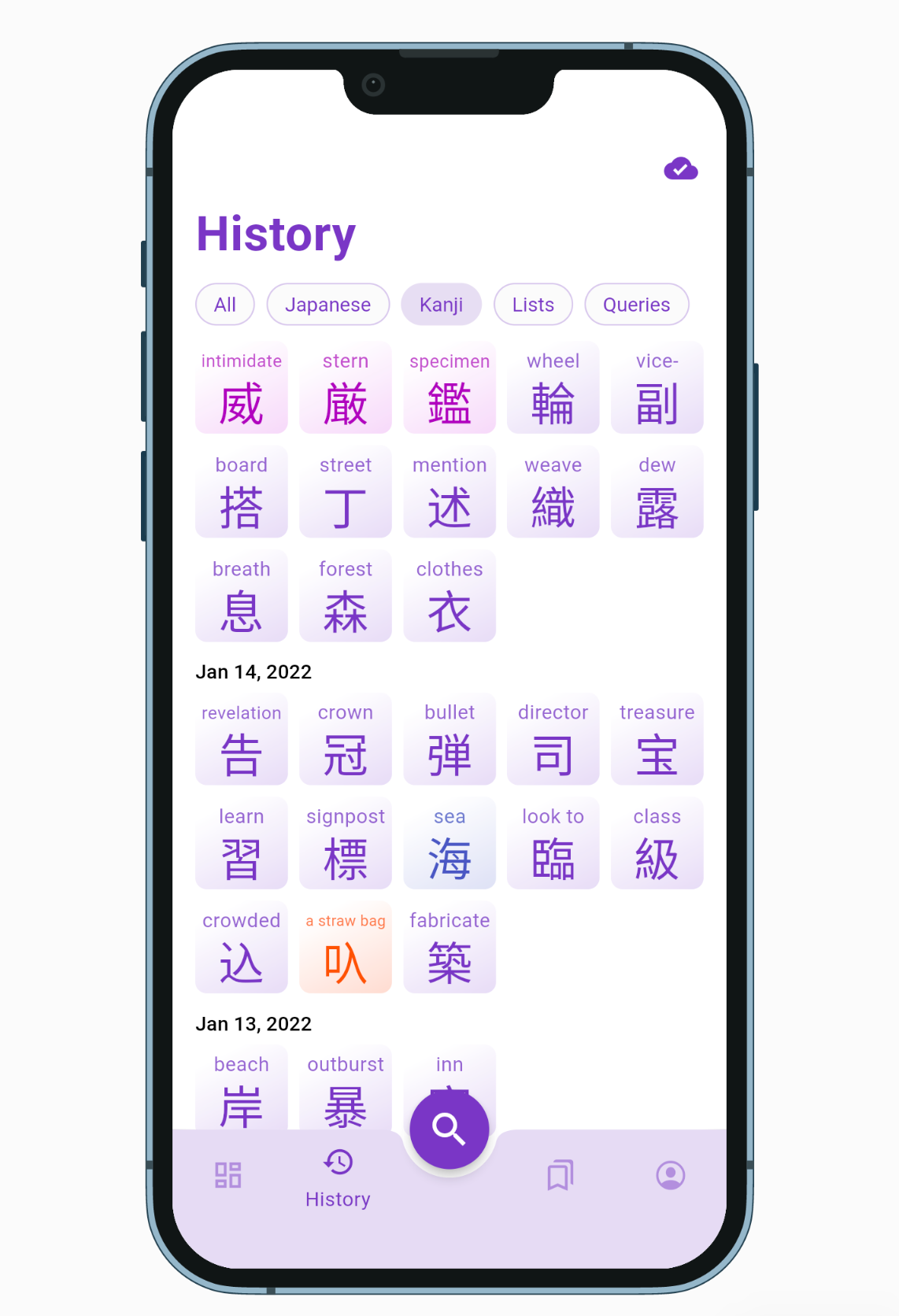 History entries are displayed in a denser list with corresponding bookmark icon, filter can be selected one at a time.
All Changes and Fixes in v0.5.0
- [iOS] fixed vertical alignment of Japanese texts with furigana
- [iOS] switches to landscape mode when rotation the device
- [iOS] uses large title for top page of each tab
- [iOS] replaced checkboxes with native looking switches
- [iOS] removed edge shadow on page transition
- [Android] fixes bottom sheet being dismissed when rotating the device
- [Android] some design changes to match the new Material You guidelines: stretch overscroll, low caps button label, no elevation, etc.
- optimized overall app performances and animation smoothness
- replaced kanji/word card opening transition by a zooming effect instead of a sliding page from the right
- replaced Sign In dialog by bottom sheet
- fixed top empty space in Japanese text with no furigana
- fixed kanji/word cards moving around when going back from a list page to a search results page
- fixed History tab being fully redrawn everytime a new entry is added
- fixed Kanji in List not being loaded from cache when available
- fixed Word Compounds card not using offline cache when available
- fixed word in format kanji:kana not being loaded from cache
- fixed scrollbar to go all the way down to the bottom navigation bar
- swiches navigation bar with rail navigation (vertical bar on the left) in landscape mode
- extends rail navigation to menu navigation on larger screen
- disables animation according to OS settings
My Lists
- replaced bookmark pop up menu by draggable bottom sheet
- replaced cards by denser tiles
- replaced + card by app bar button
- replaced edit/create sheet by fullscreen bottom sheet with X and "Edit/Create" buttons
- removed outline boxes around input fields
History
- filter buttons can only be selected one at a time, added a default "All" button
- replaced cards by denser tiles
- all entries have a leading icon such as magnifying glass for query entries
- word and list entries have a bookmark icon that indicates if the item is already bookmarked
- only shows word definitions if the dictionary was downloaded
Search Sheet
- new landscape mode layout shows tab icons on the left without "search" floating button
- dismisses keyboard when scrolling the suggestion list
- removed tab underline indicator, icons shown as outlined when unselected
- removed "exact match" from kana suggestions
- removed + button on word/kanji quick search suggestions
- search bottom sheet is taller, going all the way to the status bar
- suggestions tiles are more dense vertically
- shows "Search in *** dictionaries" suggestion when inputing multiple tags (same effect as pressing the magnifying glass icon)
- radical search tab hides radicals that cannot be selected (and grey them out when loading)
Dashboard
- replaced onboarding page by "Welcome" card inviting the user to select their level in a bottom sheet
- replaced status chip by a single "cloud sync status" icon visible on all pages in the top right
- grouped Kanji and Word of the day on the same row
- moved "Beta Testing" card to its own row
Settings
- redesigned Account tab with a title similar to other tab
- grouped profile name and sign in/out buttons to a Profile card
- rename Preferences to Settings
- card disable switches are drawn above the cards